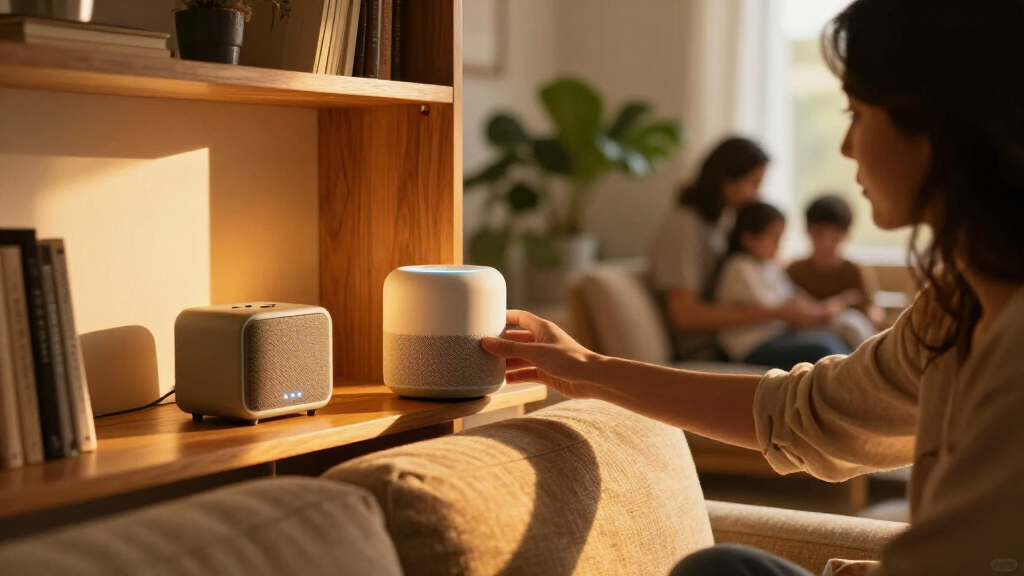

Amazon’s smart home lineup spans speakers, displays, plugs, switches, thermostats, and security gear, which makes choosing the right starting point genuinely confusing. After comparing the full range, the Amazon Echo Show 8 stands out as the best overall pick because it combines a sharp display, built-in smart home hub, and spatial audio in one device. The Amazon Echo Dot (5th Gen) is the best budget entry point for Alexa voice control, while the Amazon Echo Hub is the strongest choice for anyone managing a large ecosystem of cameras, lights, and thermostats from a wall-mounted panel. The main tradeoff in this category is screen size versus cost — displays get dramatically more expensive as they grow — plus the question of whether you need a built-in Zigbee hub or just a voice assistant. Keep reading for the full breakdown of all 13 devices and who each one suits best.
Key Takeaways
- The Echo Show 8 wins best overall because it is the cheapest device in the lineup with a built-in smart home hub, making it the sweet spot between the hub-less Echo Show 5 and the pricier Echo Show 15 and Echo Hub.
- Smart plugs emerged as the true budget entry point: both the amazon.com/dp/B0BFC7WQ6R?tag=simplemondays.com-20&ascsubtag=dc-1087620″ target=”_blank” rel=”nofollow sponsored noopener”>amazon.com/dp/B0C5DPSW5Y?tag=simplemondays.com-20&ascsubtag=dc-1087620″ target=”_blank” rel=”nofollow sponsored noopener”>amazon.com/dp/B0DC8ZMR1P?tag=simplemondays.com-20&ascsubtag=dc-1087620″ target=”_blank” rel=”nofollow sponsored noopener”>amazon.com/dp/B0D6SX8VLQ?tag=simplemondays.com-20&ascsubtag=dc-1087620″ target=”_blank” rel=”nofollow sponsored noopener”>amazon.com/dp/B0CL9D9HM4?tag=simplemondays.com-20&ascsubtag=dc-1087620″ target=”_blank” rel=”nofollow sponsored noopener”>amazon.com/dp/B09B2SRGXH?tag=simplemondays.com-20&ascsubtag=dc-1087620″ target=”_blank” rel=”nofollow sponsored noopener”>amazon.com/dp/B095X911T8?tag=simplemondays.com-20&ascsubtag=dc-1087620″ target=”_blank” rel=”nofollow sponsored noopener”>amazon.com/dp/B09B93ZDG4?tag=simplemondays.com-20&ascsubtag=dc-1087620″ target=”_blank” rel=”nofollow sponsored noopener”>amazon.com/dp/B0D9C2V83V?tag=simplemondays.com-20&ascsubtag=dc-1087620″ target=”_blank” rel=”nofollow sponsored noopener”>amazon.com/dp/B07KRY43KN?tag=simplemondays.com-20&ascsubtag=dc-1087620″ target=”_blank” rel=”nofollow sponsored noopener”>amazon.com/dp/B08J4C8871?tag=simplemondays.com-20&ascsubtag=dc-1087620″ target=”_blank” rel=”nofollow sponsored noopener”>Amazon Smart Plug and Amazon Basics 4-Pack deliver full Alexa control for a fraction of the cost of any Echo device, with the Basics pack winning on per-plug value.
- Amazon’s own-brand devices split cleanly into ‘convenience’ gadgets (Echo Glow, Echo Spot) and ‘infrastructure’ devices (Echo Hub, Smart Thermostat, Smart Light Switch) — buyers should know which problem they are solving before spending.
- The Echo Dot Max sits awkwardly between the Dot and the Show 8; it makes sense only for buyers who prioritize music volume over a screen, since the price gap to a display with a hub is small.
- The myQ Video Keypad is the only third-party-branded device in the lineup and the only security-focused option — it fills a real gap but skips Alexa-native controls found on every other pick here.
| Amazon Smart Thermostat |  | Best Budget Smart Climate Control | Compatibility: Alexa and Ring | Installation: DIY guided by the Alexa app | Wiring requirement: C-wire required | VIEW LATEST PRICE | See Our Full Breakdown |
| Amazon Echo Glow Smart Lamp and Night Light for Kids |  | Best for Kids’ Bedtime Routines | Compatibility: Compatible Alexa devices including Echo Dot, Echo Dot Kids, Echo Pop Kids | Lighting: Color-changing, million colors | Controls: Voice control through Alexa | VIEW LATEST PRICE | See Our Full Breakdown |
| Amazon Smart Plug (2-Pack) |  | Best Smart Home Starter Kit | Size: 3.2 x 1.5 x 2.2 in (80 x 38 x 57 mm) | Weight: 3.1 oz (87 g) | Input / Output: 120VAC, 60Hz, 15A max | VIEW LATEST PRICE | See Our Full Breakdown |
| myQ Smart Garage Door Video Keypad |  | Best Garage Access Upgrade | Camera: Wide-angle surveillance camera | Audio: Two-way audio | Access: Customizable, time-specific PIN codes via myQ app | VIEW LATEST PRICE | See Our Full Breakdown |
| Amazon Echo Dot (5th Gen) |  | Best Overall Alexa Starting Point | Size: 3.9 x 3.9 x 3.5 in (100 x 100 x 89 mm) | Weight: 10.7 oz (304 g) | Audio: 1.6 in full-range driver, 62 Hz–19 kHz, mono | VIEW LATEST PRICE | See Our Full Breakdown |
| Amazon Basics Smart Light Switch, Single Pole, Works with Alexa |  | Best Budget Lighting Upgrade | Brand: Amazon Basics | Type: Single Pole Smart Light Switch | Compatibility: Alexa only | VIEW LATEST PRICE | See Our Full Breakdown |
| Amazon Echo Show 5 Smart Display, Cloud Blue |  | Best Compact Smart Display | Display: 5.5 inches | Camera: 2 MP | Voice assistant: Alexa | VIEW LATEST PRICE | See Our Full Breakdown |
| Amazon Basics Smart Plug, Works with Alexa, 4-Pack, White |  | Best Value Starter Kit | Quantity: 4-Pack | Compatibility: Alexa only | Connectivity: 2.4 GHz Wi-Fi | VIEW LATEST PRICE | See Our Full Breakdown |
| Amazon Echo Dot Max Alexa Speaker, Graphite |  | Best for Music and Wi-Fi Coverage | Voice assistant: Alexa; designed to support Alexa+ | Audio: Room-filling sound; nearly 3x the bass of Echo Dot (2022) | Smart home features: Built-in hub, routines, presence and temperature detection | VIEW LATEST PRICE | See Our Full Breakdown |
| Amazon Echo Show 8 (Newest Model) – 8.7″ HD Smart Display with Spatial Audio, Smart Home Hub, Graphite |  | Best Overall Command Center | Display: 8.7″ HD touchscreen, 800 x 1340 | Camera: 13 MP with auto framing, 3.3x zoom | Audio: 1 x 2.8″ woofer, 2 full-range drivers, spatial audio | VIEW LATEST PRICE | See Our Full Breakdown |
| Amazon Echo Show 15 (newest model), 15.6-inch Full HD smart display with Fire TV |  | Best for Family Command Centers | Display: 15.6-inch Full HD (1080p) | Built-in entertainment: Fire TV | Camera: Auto-framing, 3.3x zoom, wide field of view | VIEW LATEST PRICE | See Our Full Breakdown |
| Amazon Echo Spot (Newest Model) – Smart Alarm Clock with Alexa, Black |  | Best Bedside Companion | Color: Black | Voice Assistant: Alexa | Display: Customizable clock face with time, weather, and song titles | VIEW LATEST PRICE | See Our Full Breakdown |
| Amazon Echo Hub Smart Home Control Panel, 8-inch |  | Best Dedicated Smart Home Control Panel | Display size: 8 inches | Connectivity: Wi-Fi, Bluetooth, Zigbee, Matter, Sidewalk, Thread | Mounting: Wall mount; compatible with separately sold tabletop stand | VIEW LATEST PRICE | See Our Full Breakdown |
More Details on Our Top Picks
Amazon Smart Thermostat
This thermostat stands out as the cheapest credible path into automated heating and cooling, and it borrows Honeywell Home hardware to deliver it. Compared with splurging on an Amazon Echo Hub to manage a whole-home system, this is a focused, single-purpose upgrade: schedules, away modes, and app control without paying for a touchscreen you may not need. The DIY installation walkthrough in the Alexa app is genuinely helpful for renters and first-timers, though the C-wire requirement will stop older homes cold unless they add an adapter. Comfort zoning is a nice extra, but only if you own select Alexa devices with built-in temperature sensors, which nudges the real cost upward. For straightforward schedule-based savings, this pick makes the most sense for the money.
Pros:- Affordable entry into ENERGY STAR-certified smart climate control
- Guided DIY installation through the Alexa app avoids electrician fees
- Home, away, and sleep schedules translate directly into lower energy bills
- Built on proven Honeywell Home thermostat technology
Cons:- C-wire is required, which many older homes lack
- Comfort zones only work with select Alexa devices that have temperature sensing
Best for: Homeowners with C-wire-equipped HVAC systems who want app and voice-controlled schedules at a low entry cost
Not ideal for: Owners of pre-1990s furnaces without a C-wire, or anyone wanting room-by-room zoning without buying extra Alexa hardware
- Compatibility:Alexa and Ring
- Installation:DIY guided by the Alexa app
- Wiring requirement:C-wire required
- Control options:Alexa app, voice routines, schedules
- Features:Home/away/sleep schedules; comfort zones with select Alexa devices
- Technology:Honeywell Home thermostat technology
- Certification:ENERGY STAR
Our verdict“A sensible, low-cost thermostat for Alexa households with compatible wiring who want scheduling without smart-home complexity.”
Amazon Echo Glow Smart Lamp and Night Light for Kids
Unlike the general-purpose smart plugs elsewhere in this roundup, the Glow is purpose-built for children’s routines. Its standout trick is gradual brightening and dimming — a sunrise alarm that wakes kids gently and a fading bedtime cue that replaces nagging with lighting. Compared with an Amazon Echo Dot Kids alone, the Glow adds the visual layer: countdown timers that change color for homework or brushing teeth, and a million-color palette for mood lighting. The tradeoff is real, though — it has no speaker or microphone of its own, so it must pair with a compatible Alexa device for voice control, meaning the Glow is an accessory rather than a standalone gadget. Buyers expecting independent smarts should adjust expectations before adding it to a cart.
Pros:- Sunrise alarm and bedtime fade replace morning chaos with gradual light cues
- Color-changing countdown timers help kids visualize time for tasks
- Million-color palette and dynamic modes make it fun beyond a plain night light
- Simple plug-in setup through the Alexa app
Cons:- Requires a separate compatible Alexa device for any voice control
- Cannot function as a standalone smart light without Alexa ecosystem setup
Best for: Parents building predictable bedtime and wake-up routines for young children who already own an Echo device
Not ideal for: Households without any Alexa speaker, since the lamp has no standalone voice control or app-free operation
- Compatibility:Compatible Alexa devices including Echo Dot, Echo Dot Kids, Echo Pop Kids
- Lighting:Color-changing, million colors
- Controls:Voice control through Alexa
- Features:Sunrise alarm, countdown timer, routines, dynamic lighting modes
- Setup:Plug in and configure via the Alexa app
Our verdict“A charming routine-builder for Alexa households with kids — but only if an Echo device is already in the room.”
Amazon Smart Plug (2-Pack)
If someone asked me where to start a smart home for under the cost of a dinner out, this two-pack is the answer. Lamps, fans, and coffee makers become voice-controllable in minutes, with no hub required — a genuine advantage over switch-based options like the Amazon Basics Smart Light Switch, which demands wiring work. The compact body leaves the second outlet usable, something cheaper bulkier plugs often ruin. The tradeoffs are ecosystem lock-in and networking: it’s Alexa-only, so Google or Apple households gain nothing, and the 2.4 GHz-only Wi-Fi means mesh-router owners may need to split their bands during setup. Compared with the Amazon Basics Smart Plug 4-Pack, you pay a bit more per plug here in exchange for tighter Alexa integration and reliable reconnection after outages.
Pros:- Hub-free setup through the Alexa app takes minutes per plug
- Compact design leaves the adjacent outlet free
- Timers, schedules, and routines make ordinary devices feel smart
- Automatically reconnects after power or Wi-Fi outages without manual resets
Cons:- Alexa-only — no support for other voice assistants or smart hubs
- 2.4 GHz-only Wi-Fi can complicate setup on modern mesh networks
Best for: Alexa newcomers who want to automate two or three dumb appliances without any wiring or hub investment
Not ideal for: Google Home or Apple Home users, since the plugs support Alexa exclusively and ignore other assistants and hubs
- Size:3.2 x 1.5 x 2.2 in (80 x 38 x 57 mm)
- Weight:3.1 oz (87 g)
- Input / Output:120VAC, 60Hz, 15A max
- Connectivity:2.4 GHz Wi-Fi only, 802.11 b/g/n
- Assistant support:Alexa only
- Use:Indoor use only
- Warranty:1-year limited warranty
Our verdict“The simplest first step into Alexa automation — ideal for lamp and fan control, useless outside the Alexa ecosystem.”
myQ Smart Garage Door Video Keypad
This is the pick for a problem most Alexa devices don’t touch: controlling who opens your garage and when. The combination of an outdoor keypad and a wide-angle camera means a dog walker can enter with a time-limited PIN while you watch it happen from your phone, and two-way audio lets you talk to a delivery driver at the door. Compared with the Amazon Smart Plug approach of automating interior devices, this solves an access-and-security problem rather than a convenience one. The costs are layered, though: AI detection and video history sit behind a subscription, it runs on batteries unless you buy the separate power kit, and it commands a single opener only. For households juggling service providers and guests, the shareable PIN system alone justifies it.
Pros:- Time-specific shareable PINs eliminate copying physical remotes or sharing codes permanently
- Wide-angle camera covers the full driveway-to-doorway approach
- Real-time notifications and two-way audio add a genuine security layer
- Works with LiftMaster, Chamberlain, and Craftsman openers made after 1993
Cons:- Premium AI detection and video history require a paid subscription
- Battery-powered unless you purchase the separate wired power adapter kit
- Controls only one garage door opener
Best for: Homeowners who regularly grant guests, dog walkers, or contractors garage access and want camera verification of every entry
Not ideal for: Budget-conscious buyers unwilling to pay a recurring subscription for video history and AI features
- Camera:Wide-angle surveillance camera
- Audio:Two-way audio
- Access:Customizable, time-specific PIN codes via myQ app
- App control:myQ smartphone app
- Opener compatibility:LiftMaster, Chamberlain, Craftsman openers manufactured after 1993
- Power:Battery (optional wired power adapter kit available)
- Subscription:Free trial included; subscription required for AI detection and video history
Our verdict“A strong access-control upgrade for busy households, provided you accept subscription costs for its smartest features.”
Amazon Echo Dot (5th Gen)
The Echo Dot remains the single most sensible first Alexa device for most homes, and it earns the top slot here because everything else in this roundup assumes you own one. Voice control of the Amazon Smart Thermostat, the Echo Glow, and the Amazon Smart Plug all route through a speaker like this. The 5th Gen’s audio is respectable for its size — vocals and podcasts sound clear, though bass-focused listeners should step up to the larger Echo Dot Max. Its hidden bonus is eero Built-in Wi-Fi extension, adding up to 1,000 sq. ft. of network coverage if you run a compatible eero router, which effectively makes it two devices in one. Matter and Bluetooth LE Mesh support means it will keep talking to newer smart home gear for years. Skip it only if you want a screen, in which case the Echo Show 5 is the natural upgrade.
Pros:- Compact, affordable speaker that anchors an entire Alexa smart home
- Matter and Bluetooth LE Mesh support future-proofs device compatibility
- Multi-room pairing with other Echo devices and Fire TV home theater audio
- Doubles as an eero Wi-Fi extender covering up to 1,000 sq. ft.
Cons:- Mono speaker with modest bass — music lovers will want a larger model
- eero Built-in requires a compatible eero router and separate app setup
Best for: First-time Alexa buyers and anyone building the smart home this roundup describes around one affordable hub-speaker
Not ideal for: Audiophiles and households wanting visual controls — a Show display or the Dot Max serves both needs better
- Size:3.9 x 3.9 x 3.5 in (100 x 100 x 89 mm)
- Weight:10.7 oz (304 g)
- Audio:1.6 in full-range driver, 62 Hz–19 kHz, mono
- Wi-Fi:Dual-band 802.11a/b/g/n/ac (2.4 and 5 GHz)
- Smart home support:Wi-Fi, Bluetooth Low Energy Mesh, Matter
- Bluetooth:A2DP and AVRCP support
- eero Built-in:Up to 1,000 sq. ft. coverage with compatible eero network
- Color:Deep Sea Blue
Our verdict“The default recommendation for starting an Alexa smart home — small, capable, and the control point every other pick here depends on.”
Amazon Basics Smart Light Switch, Single Pole, Works with Alexa
For anyone who wants voice-controlled lighting without replacing a single bulb, this switch is the most affordable path in. Compared with the Amazon Basics Smart Plug 4-Pack, it targets fixed fixtures — ceiling lights, porch lights, hallways — where a plug simply can’t help. Because it runs over 2.4 GHz Wi-Fi with no hub, the cost of entry stays low, and Alexa routines handle scheduling, sunrise triggers, and away-mode randomness. The tradeoff is ecosystem lock-in: unlike Matter-certified switches, this one speaks only to Alexa, so Google Home or Apple HomeKit households are out of luck. It also demands a neutral wire, which older homes may lack. This pick makes the most sense for Alexa-committed renters and owners who want wall-switch convenience on a strict budget and don’t need multi-pole (3-way) configurations.
Pros:- No hub required — connects directly over 2.4 GHz Wi-Fi
- Voice and scheduled control via Alexa routines
- Guided installation with step-by-step video and manual
- Cheaper than replacing multiple bulbs with smart equivalents
Cons:- Alexa-only — no Google Home or HomeKit support
- Requires a neutral wire, which older wiring setups often lack
- Single-pole only, so 3-way switch circuits aren’t covered
Best for: Alexa households who want to automate existing ceiling or porch lights without smart bulbs or a hub
Not ideal for: Homes without a neutral wire in the switch box, or anyone planning to switch to Google Home or HomeKit later
- Brand:Amazon Basics
- Type:Single Pole Smart Light Switch
- Compatibility:Alexa only
- Connectivity:2.4 GHz Wi-Fi
- Hub Required:No
- Controls:Voice, Schedule
- Color:White
Our verdict“A no-frills way to put ceiling and porch lights under Alexa’s control, as long as your switch box has a neutral wire and your loyalty lies with Alexa.”
Amazon Echo Show 5 Smart Display, Cloud Blue
The Echo Show 5 earns its spot by being the smallest screen that still does everything a smart display should. Compared with the redesigned Echo Show 8, it trades screen real estate and the built-in Zigbee/Matter/Thread hub for a footprint that fits a nightstand, desk, or kitchen corner without dominating it. This option stands out for casual use — morning weather, timers, a quick news briefing, and 2 MP video calls — rather than as a command center. The improved bass over earlier compact speakers means it holds its own for podcast and background music duty, though it can’t match the room-filling output of the Echo Dot Max. Physical privacy controls, including a camera shutter, are a genuine plus at this size. The catch: several features assume you already own compatible smart devices, and video calling only works within the Alexa ecosystem.
Pros:- Compact footprint suits nightstands, desks, and small counters
- Improved bass and clearer vocals for its size
- 2 MP camera handles video calls and home monitoring
- Physical camera shutter and mic/camera off button
Cons:- Too small for comfortable follow-along recipes or video watching
- Video calling limited to Alexa app contacts and screen-equipped Echo devices
- No built-in smart home hub, unlike the Echo Show 8
Best for: Anyone wanting a bedside or desk-sized display for weather, timers, video calls, and controlling a few Alexa devices
Not ideal for: Buyers who want a primary smart home hub or a serious music speaker — the 5.5-inch screen and small drivers can’t deliver either
- Display:5.5 inches
- Camera:2 MP
- Voice assistant:Alexa
- Color:Cloud Blue
- Privacy features:Mic/camera off button; built-in camera shutter
- Recycled materials:100% post-consumer recycled polyester fabric; 100% recycled aluminum
- Packaging:100% recyclable
Our verdict“The right pick when you want Alexa with a face in a small space — not when you want a hub or a home theater speaker.”
Amazon Basics Smart Plug, Works with Alexa, 4-Pack, White
If the goal is to make an entire room smart for the price of one gadget, this 4-pack is the cheapest per-device entry point in the lineup. Compared with the Amazon Smart Plug 2-Pack, it doubles the coverage for lamps, fans, coffee makers, and humidifiers — enough to build real routines instead of automating a single outlet. Setup happens entirely inside the Alexa app with no hub and no third-party app juggling, which is exactly why this is the pick I’d hand to a smart home beginner. The compact housing leaves adjacent outlets free, a detail many cheaper plugs get wrong. Tradeoffs mirror the Basics switch: it’s Alexa-only and 2.4 GHz-only, so multi-ecosystem households or those on 5 GHz-only mesh networks should look elsewhere. There’s also no energy monitoring, so buyers tracking power consumption will want a plug with metering instead.
Pros:- Four plugs in one pack for whole-room automation
- Setup entirely in the Alexa app with no hub or extra apps
- Compact design doesn’t block the second outlet
- Supports schedules, routines, and sunrise/sunset triggers
Cons:- Alexa-only — no Google Home or HomeKit support
- Limited to 2.4 GHz Wi-Fi networks
- No energy usage monitoring
Best for: First-time smart home buyers who want to automate four devices — lamps, fans, coffee makers — in one purchase
Not ideal for: Google Home users, 5 GHz-only networks, or anyone who wants energy monitoring per outlet
- Quantity:4-Pack
- Compatibility:Alexa only
- Connectivity:2.4 GHz Wi-Fi
- Hub Required:No
- Setup:Alexa app
- Color:White
Our verdict“The most efficient way to dip a toe into smart home automation — provided Alexa is your ecosystem and your router broadcasts 2.4 GHz.”
Amazon Echo Dot Max Alexa Speaker, Graphite
The Echo Dot Max is what happens when a bedside speaker grows into a living-room audio device with smart home brains. With nearly three times the bass of the standard Echo Dot, it’s the clear pick for buyers whose priority is actually listening to music, not just issuing voice commands. Compared with the Echo Show 8, it drops the screen but keeps the genuinely useful stuff: a built-in smart home hub, presence and temperature detection for sensor-triggered routines, and speaker pairing or Fire TV home theater duty. Its most unusual trick is eero Built-in Wi-Fi extension, adding up to 1,000 sq. ft. of coverage — but only if you already run an eero mesh network, which is the product’s biggest conditional. If you don’t own eero gear, part of what you’re paying for goes unused. This model is better suited to music-first households than to anyone who wants visual feedback from a display.
Pros:- Room-filling sound with nearly 3x the bass of the Echo Dot (2022)
- Built-in smart home hub with presence and temperature sensing
- Extends an eero mesh network by up to 1,000 sq. ft.
- Pairs with Echo speakers and Fire TV for home theater setups
Cons:- Wi-Fi extension requires an existing eero network
- No screen, so no visual routines, recipes, or video calls
- Speaker pairing and theater features need compatible devices
Best for: Music-focused Alexa households, especially those already running an eero mesh network with dead zones to fill
Not ideal for: Buyers without an existing eero network, since the Wi-Fi extension — a major part of the appeal — won’t function
- Voice assistant:Alexa; designed to support Alexa+
- Audio:Room-filling sound; nearly 3x the bass of Echo Dot (2022)
- Smart home features:Built-in hub, routines, presence and temperature detection
- Wi-Fi extension:eero Built-in; up to 1,000 sq. ft. added coverage
- Connectivity:Compatible Echo devices, Fire TV, and streaming services
- Color:Graphite
Our verdict“The best-sounding Alexa device in this lineup and a smart hub in one — a strong buy for eero households, a partial one for everyone else.”
Amazon Echo Show 8 (Newest Model) – 8.7″ HD Smart Display with Spatial Audio, Smart Home Hub, Graphite
This is the pick I’d point most smart home buyers toward, because it solves three problems in one device: a screen big enough to follow recipes and monitor cameras, audio good enough to fill a kitchen, and a genuine hub covering Zigbee, Matter, and Thread. Compared with the Echo Show 5, the 8.7-inch display with 15% more viewing area makes the difference between glancing at widgets and actually using the screen, while the 13 MP auto-framing camera puts the Show 5’s 2 MP sensor well behind. Against the Echo Hub, it trades dedicated wall-control focus for far better speakers and video calling. The AZ3 Pro chip and Alexa+ features make it the most future-proofed device here, but that comes with real caveats: Sidewalk runs by default on your bandwidth unless you disable it, and some Alexa+ capabilities may eventually sit behind a subscription. Wi-Fi 6E also assumes a compatible router.
Pros:- 8.7-inch HD touchscreen with 15% more viewing area than the prior generation
- Built-in hub supporting Zigbee, Matter, and Thread devices
- Room-filling spatial audio with up to 2x more bass
- 13 MP auto-framing camera with 3.3x zoom for video calls
Cons:- Amazon Sidewalk enabled by default, sharing a slice of your bandwidth
- Some Alexa+ features may require a subscription
- Hands-free Bluetooth voice control not supported on Mac OS X devices
Best for: Households that want one device to serve as smart home hub, kitchen display, video-calling station, and music speaker
Not ideal for: Privacy- or bandwidth-sensitive buyers who won’t disable Sidewalk, or those unwilling to face possible Alexa+ subscription costs
- Display:8.7″ HD touchscreen, 800 x 1340
- Camera:13 MP with auto framing, 3.3x zoom
- Audio:1 x 2.8″ woofer, 2 full-range drivers, spatial audio
- Processor:AZ3 Pro with AI Accelerator
- Smart home hub:Zigbee + Matter + Thread Border Router
- Sensors:Ambient temperature, ambient light, presence detection
- Wi-Fi:Wi-Fi 6E (IEEE 802.11ax)
- Bluetooth:Version 5.4
- Dimensions:8.2″ x 5″ x 5.9″; 37 oz
Our verdict“The most complete smart home device in this roundup — buy it if you want a single hub-plus-display centerpiece and don’t mind turning off Sidewalk on day one.”
Amazon Echo Show 15 (newest model), 15.6-inch Full HD smart display with Fire TV
The Echo Show 15 is the closest thing to a digital family hub you can mount on a wall. Its 15.6-inch Full HD panel dwarfs the Echo Show 8, which makes all the difference when you want shared calendars, sticky notes, live camera feeds, and to-do widgets visible from across the kitchen. Compared with the Echo Hub, the Show 15 trades dedicated protocol support for sheer versatility — it doubles as a Fire TV, so a bedroom or kitchen wall becomes a second television. The auto-framing camera handles video calls hands-free, and the physical shutter plus mic/camera-off button address privacy concerns head-on. The tradeoff: it’s expensive for a display, wall mounting hardware beyond basics adds cost, and much of the streaming and some smart features assume subscriptions to be genuinely useful.
Pros:- Large 15.6-inch Full HD display makes widgets and camera feeds readable from a distance
- Built-in Fire TV turns it into a legitimate kitchen or bedroom streaming screen
- Auto-framing camera with wide field of view keeps callers in frame naturally
- Physical camera shutter and mic/camera-off button provide real privacy control
Cons:- Some streaming content and features require paid subscriptions to be useful
- Overkill in both size and price for anyone who mainly wants voice control
Best for: Busy households that want one wall-mounted screen for shared schedules, camera feeds, video calls, and casual streaming
Not ideal for: Buyers who just want voice control or basic camera viewing — an Echo Show 8 or Echo Hub does that for far less and fits smaller spaces
- Display:15.6-inch Full HD (1080p)
- Built-in entertainment:Fire TV
- Camera:Auto-framing, 3.3x zoom, wide field of view
- Included accessory:Fire TV remote
- Privacy features:Mic/camera-off button and camera shutter
- Primary use:Family organization, entertainment, smart home control
Our verdict“Pick the Echo Show 15 if your family runs on shared calendars and you want a wall screen that doubles as a TV — skip it if a smaller, cheaper display covers your needs.”
Amazon Echo Spot (Newest Model) – Smart Alarm Clock with Alexa, Black
The Echo Spot carves out a niche neither the Echo Dot nor the Echo Show 8 occupies: a compact alarm clock that sounds better than it has any right to. Its big, vibrant sound with real bass outclasses the Dot for bedroom listening, while the small customizable display shows the time, weather, and song titles without the glowing sprawl of a full smart display. The sleeper feature is built-in eero mesh Wi-Fi extension — up to 1,000 sq. ft. of added coverage — which can quietly fix a weak Wi-Fi corner of your home without buying separate networking gear. Gentle wake routines and voice-controlled alarms make mornings less jarring. Be realistic about limits: smart home routines only work with compatible devices, and some display conveniences like motion detection take extra setup to activate.
Pros:- Big, vibrant audio with clear vocals and deep bass that outperforms typical alarm clocks
- Doubles as an eero mesh extender covering up to 1,000 sq. ft.
- Customizable clock faces and colors with time, weather, and song info
- Gentle wake routines make mornings less abrupt
Cons:- Smart home routines depend on owning compatible devices
- Display extras like motion detection require additional setup
- Too small for camera feeds, video calls, or rich visual content
Best for: Anyone upgrading a bedside table who wants richer sound than an Echo Dot plus a glanceable clock and Wi-Fi boost in one device
Not ideal for: Buyers who want a real smart display — the small screen is built for time and titles, not camera feeds or video, so an Echo Show 5 or 8 fits better
- Color:Black
- Voice Assistant:Alexa
- Display:Customizable clock face with time, weather, and song titles
- Wi-Fi extender coverage:Up to 1,000 sq. ft. (eero Built-in)
- Recycled materials:36%
- Privacy features:Mic off button, in-app controls
- Media support:Music, podcasts, audiobooks
Our verdict“The Echo Spot is the pick for a bedside upgrade — better sound than the Dot, a useful clock display, and free Wi-Fi extension — as long as you don’t expect it to be a smart display.”
Amazon Echo Hub Smart Home Control Panel, 8-inch
The Echo Hub is purpose-built in a way no Echo Show is: it’s a wall-mounted smart home dashboard first, entertainment device a distant second. Where the Echo Show 8 splits its identity between streaming and control, the Hub’s built-in radio stack — Zigbee, Thread, Matter, Sidewalk, Wi-Fi, and Bluetooth — means it can replace individual hubs scattered around your house. The customizable dashboard lets you resize tiles and group devices by room, so a single glance covers locks, cameras, thermostats, and lights. For anyone deep into a multi-protocol setup, this focus is exactly right. The costs are real though: the Power-over-Ethernet adapter, cable pass-throughs, and tabletop stand are all sold separately, and Alexa+ intelligence plus Ring camera summaries sit behind compatible subscriptions. Budget for the accessories before you commit.
Pros:- Built-in hub supports Zigbee, Thread, Matter, Sidewalk, Wi-Fi, and Bluetooth — no separate hubs needed
- Highly customizable dashboard with resizable device tiles and sections
- Manages security devices, cameras, routines, and media from one screen
- Clean wall-mount design built for permanent installation
Cons:- Power-over-Ethernet adapter, cable pass-throughs, and tabletop stand are sold separately
- Alexa+ features and Ring camera summaries require compatible subscriptions
Best for: Smart home enthusiasts with a mix of Zigbee, Thread, and Matter devices who want one wall-mounted panel controlling everything
Not ideal for: Casual users or entertainment-first buyers — an Echo Show 8 delivers similar control plus streaming and a camera for comparable money
- Display size:8 inches
- Connectivity:Wi-Fi, Bluetooth, Zigbee, Matter, Sidewalk, Thread
- Mounting:Wall mount; compatible with separately sold tabletop stand
- Smart home hub:Built in
- Recycled materials:27%
- Subscription features:Alexa+ features and Ring camera summaries require compatible subscriptions
Our verdict“The Echo Hub earns its spot for serious multi-protocol households that want a dedicated control panel — everyone else gets more value from an Echo Show 8.”
How We Picked
I evaluated each device against four buyer-relevant criteria: versatility (how many smart home jobs it can do), ease of setup within the Alexa app, hub capability (whether it can act as the brain of a larger system or only as an endpoint), and value relative to its role. Devices that serve as infrastructure — controlling other gadgets, routing routines, or replacing wall hardware — ranked higher than single-purpose gadgets, because most buyers build their smart home around one or two central devices rather than thirteen.
That logic explains the ordering: the Echo Show 8 leads because a display plus a built-in hub covers the most use cases per dollar. Pure accessories like the Echo Glow and Amazon Basics Smart Plug rank lower despite being good at their jobs, simply because they depend on other devices to function. Where two products overlap directly — the two smart plug options, the four displays — I separated them by role: value pick versus premium pick, bedside device versus kitchen command center.
Factors to Consider When Choosing Amazon Smart Home Devices
Before picking specific devices, it helps to understand how Amazon’s ecosystem is structured and where buyers most often go wrong. These are the factors that shaped my rankings and should shape your decision.Pick Your Hub Device First
The single most common mistake is buying accessories before choosing a control center. Smart plugs, the smart thermostat, and the light switch all need an Alexa device (or at minimum the Alexa app) to show their value. The Echo Show 8 and Echo Hub include a built-in smart home hub that connects directly to Zigbee and Thread devices, which means fewer bridges, fewer Wi-Fi dropouts, and faster response from compatible lights and sensors. Cheaper devices like the Echo Dot work fine as controllers but rely entirely on Wi-Fi for everything. Decide how large your system will grow — a one-bedroom apartment with three plugs has very different needs than a house with cameras in every room.
Screen Size: Where the Money Goes
Displays are where Amazon’s pricing climbs fastest, and the size differences matter more than the spec sheets suggest. A 5-inch display works for timers and voice-command feedback but is frustrating for camera feeds; 8 inches is the practical minimum for comfortably viewing doorbell footage while cooking; 15.6 inches turns the device into a family calendar and Fire TV wall panel. Buyers routinely overspend on the Echo Show 15 for screen real estate they never use, or underspend on the Show 5 expecting it to replace a TV. Match the screen to where it will live — a desk, a nightstand, or a kitchen counter all demand different sizes.
Plug vs. Switch: The Overlooked Decision
Both the Amazon Smart Plug and the Amazon Basics Smart Light Switch make dumb fixtures smart, but they solve different problems and buying the wrong one wastes money. Plugs suit lamps, fans, and coffee makers — anything you can move — but they dangle from the outlet and block the second socket on many wall plates. Switches are permanent, require wiring knowledge or an electrician, and only make sense for ceiling lights and fixtures you own (renters should skip them). The Basics 4-Pack of plugs is usually the better first purchase because you can relocate them as your needs change, then graduate to switches for fixed lighting later.
Wi-Fi, Thread, and Zigbee Compatibility
Not all of these devices speak the same protocol, and mismatches cause the most setup frustration. Echo speakers and displays connect over Wi-Fi, but the built-in hub in the Show 8 and Echo Hub also speaks Zigbee and Thread, the protocols used by many third-party bulbs, locks, and sensors. If your router is far from your devices or your Wi-Fi is congested, hub-based connections are more reliable. Buyers adding smart locks or a garage controller like the myQ keypad should verify Alexa integration before purchasing, since some third-party devices require their own bridge or subscription for full features.
Single-Purpose Gadgets: Fun Now, Forgotten Later
The Echo Glow and Echo Spot are delightful, but they are convenience products, not infrastructure. The Glow is a kids’ lamp with no speaker or assistant inside — it exists purely to be controlled by another Echo device. The Spot is a beautiful alarm clock that duplicates the Alexa experience you already have on any other Echo. My advice: buy these after your core system exists, not as your first Amazon smart home device. The buyers happiest with them are those who added them to fill a specific niche — a child’s bedtime routine, a bedside clock — rather than those expecting them to anchor a setup.
When to Pay More for the Echo Hub
The Echo Hub is the most expensive way to get an 8-inch screen in this lineup, so its value has to come from what it replaces. It is designed to be wall-mounted as a dedicated control panel: cameras, thermostats, locks, and routines all surface on one dashboard without voice commands. That makes sense for homes with six or more connected devices, especially ones spread across floors. Below that threshold, an Echo Show 8 on a counter does nearly the same job for less money and adds video calling and entertainment the Hub lacks. The Hub also skips the camera and full Fire TV experience — you are paying for control density, not features.
Frequently Asked Questions
Do I need an Echo device to use Amazon smart plugs and switches?
Technically no, but practically yes. Smart plugs and the Basics light switch can be controlled through the Alexa app on your phone without any Echo hardware, which works fine for turning things on and off remotely. The real value — voice commands, schedules triggered by arrival home, and routines tied to other devices — requires an Alexa-powered speaker or display somewhere in the house. If budget is tight, the Basics 4-Pack of plugs plus one Echo Dot is the cheapest functional starting combination in Amazon’s ecosystem. Adding a Show 8 later upgrades you to a hub that can manage Zigbee devices directly.
Is the Echo Show 8 or Echo Show 5 the better first smart display?
For most buyers, the Show 8 is worth the extra cost, and the difference comes down to two things: the built-in smart home hub and usable camera viewing. The Show 5’s screen is too small to comfortably check a video doorbell feed or follow a recipe, and it lacks the hub hardware, so every smart device must connect over Wi-Fi individually. The Show 8 handles Zigbee and Thread devices directly, which simplifies setup and improves reliability as your system grows. The Show 5 still makes sense as a bedside clock with weather and timers, or as a second display in a room where you only need voice feedback. Think of the 5 as a supplement and the 8 as your primary command center.
Can the Amazon Smart Thermostat control my existing HVAC system?
It is compatible with most common 24-volt HVAC systems, including conventional furnace-and-AC setups and many heat pumps, which covers the majority of homes. The main exceptions are systems with proprietary wiring — some older thermostats, high-voltage baseboard heaters, and certain humidifier or zoning configurations need adapters or are unsupported entirely. Amazon provides a compatibility checker in the Alexa app that walks you through your existing wiring before you buy, and skipping that step is the most common reason for returns. Installation is a DIY job for most people, taking under an hour with basic tools. Compared with paying for a premium third-party thermostat, the tradeoff is fewer fancy sensors in exchange for deep Alexa routine integration.
Is the Echo Hub worth it if I already own an Echo Show?
Probably not, unless your smart home has grown past what a single display manages comfortably. The Hub’s advantage is density: a wall-mounted dashboard that shows camera feeds, thermostat status, and device groups all at once, always visible without waking a screen or asking Alexa. If you currently juggle three apps and multiple voice commands to check your home before bed, the Hub consolidates that into one glance. But if you own a Show 8 and have fewer than roughly six connected devices, you would be paying a premium for a screen that does less — no video calling, no full Fire TV, no camera for drop-in. It is a specialized tool for large systems, not an upgrade over a Show.
What is the best cheap way to start an Amazon smart home?
Start with the Amazon Basics Smart Plug 4-Pack and one Echo Dot (5th Gen). That combination gives you voice control over four lamps, fans, or appliances for less than the cost of any single display. This approach also lets you learn your own habits before committing bigger money — many buyers discover they only ever automate two or three things, in which case you are done. If you find yourself wanting camera feeds, video calling, or a central dashboard, the natural upgrade path is the Echo Show 8, which adds the smart home hub you will want anyway. Avoid starting with single-purpose gadgets like the Echo Glow, which cannot control anything on their own.
Conclusion
After comparing all thirteen devices, the right pick depends less on specs and more on what stage of smart home building you are in. For the best overall choice, the Echo Show 8 wins because it combines a genuinely useful screen size, a built-in smart home hub, and spatial audio — it anchors a growing system without premium pricing. The best value goes to the Amazon Basics Smart Plug 4-Pack, which delivers the core smart home promise, remote and voice control of ordinary appliances, at the lowest cost per device in the lineup.
Beginners should start with the Echo Dot (5th Gen) plus a couple of plugs; it teaches you the Alexa ecosystem cheaply and nothing is wasted when you upgrade later. The best premium pick is the Echo Hub for owners of large, multi-room systems who want a wall-mounted control panel that replaces a pocketful of apps — while the Echo Show 15 suits households that want a family command center doubling as a Fire TV. For specific needs: the Echo Spot is the standout bedside alarm clock, the Echo Glow fits a child’s bedtime routine, the Smart Thermostat is the pick for energy savings, the Basics Smart Light Switch handles fixed lighting for homeowners, and the myQ Video Keypad covers garage security that nothing else in Amazon’s own lineup addresses. Whatever you choose, buy the hub device first and accessories second — that order saves money and frustration every time.