
📊 Full opportunity report: Mac vs GPU Tower for Local LLMs: The Heat-and-Noise Tradeoff on ThorstenMeyerAI.com — validation score, market gap, and execution plan.

Get the little things that make your day delivered free with Prime
- Fast, free delivery on millions of items
- Prime Video, Amazon Music and more included
- Member-only deals all year
TL;DR
This article compares Apple Silicon Macs and GPU towers for running local large language models, highlighting differences in heat, noise, capacity, and performance. The choice depends on model size, throughput needs, and workspace preferences.
Apple Silicon Macs, such as the Mac Studio with M3 Ultra, offer near-silent operation and low power consumption, contrasting sharply with high-performance GPU towers that generate significant heat and noise. This fundamental difference influences the choice for local large language model (LLM) deployment, depending on model size and throughput needs.
The comparison hinges on two key architectural differences: bandwidth versus capacity. GPU towers, equipped with high-bandwidth NVIDIA RTX cards, deliver roughly 1,792 GB/s of memory bandwidth, enabling faster inference on models that fit within their VRAM (typically 24-32GB per card). However, they produce substantial heat—single GPUs draw around 575W, with multi-GPU setups exceeding 800W—requiring complex thermal management and noise mitigation efforts. In contrast, Apple Silicon’s unified memory architecture allows sharing up to 512GB of memory across the CPU, GPU, and Neural Engine, enabling the running of larger models, such as 70B parameters, that cannot fit into GPU VRAM. These Macs operate with minimal heat output and are near-silent, making them ideal for always-on, quiet environments. The tradeoff is slower inference speeds for models that do not fit in GPU VRAM, and limited upgradeability, as Macs are fixed at purchase, whereas GPU towers can be expanded or upgraded with new cards and hardware.Mac vs GPU tower
for local LLMs.
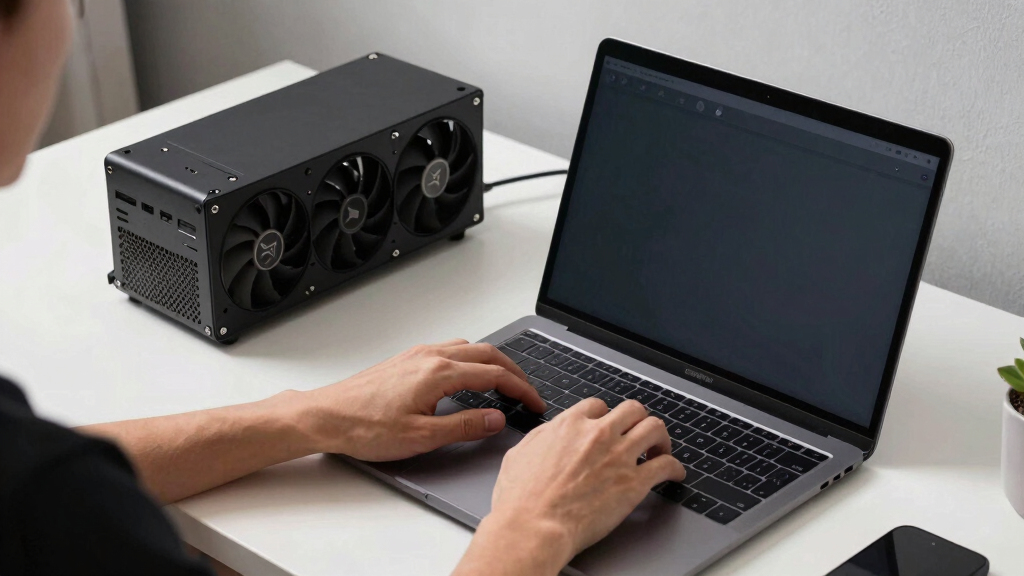
What if you sidestep the heat entirely with a different kind of machine? A tower is a high-bandwidth furnace you spend five levers quieting. Apple Silicon is near-silent by design — but asks for different tradeoffs. Match your priority in Part 2.
Put the loud, hot machine where its noise doesn’t matter, and the quiet one where you do. SSH into the tower when you need raw power; let the Mac handle everything else, silently.
Why Heat and Noise Matter for Local AI Setups
The choice between Mac and GPU tower setups impacts not only raw performance but also workspace comfort, energy efficiency, and maintenance. For users prioritizing quiet operation and low power consumption, Macs offer a compelling solution, especially for models exceeding GPU VRAM limits. Conversely, those needing maximum throughput for models that fit within VRAM will favor GPU towers, despite their thermal and noise management challenges. This decision influences long-term operational costs, hardware flexibility, and suitability for continuous, on-desk AI inference.
Products Worth Considering

Garmin Forerunner 70 GPS Running Smartwatch, 43 mm, Black

Garmin Forerunner 570 GPS Running Smartwatch, 47mm, Aluminum, Black

Fitbit Sense 2 Smartwatch – Blue Mist / Pale Gold
As an affiliate, we earn on qualifying purchases.
Architectural Tradeoffs in Local LLM Deployment
Historically, GPU towers have been the standard for high-performance AI inference and training, leveraging NVIDIA’s CUDA ecosystem and high-bandwidth memory. However, Apple Silicon's unified memory design and power efficiency are reshaping the landscape, enabling large models to run locally without the thermal and noise burdens of GPU setups. The ongoing evolution of ML hardware highlights a fundamental divergence: maximizing raw throughput versus optimizing for energy efficiency and silence. This debate is increasingly relevant as more users seek practical, quiet AI solutions for personal or office environments.
"The heat-and-noise tradeoff is the defining factor in choosing between a GPU tower and a Mac for local LLMs. It’s not just about speed, but also about environment and maintenance."
— Thorsten Meyer
Unresolved Questions About Long-Term Performance
It remains unclear how well Apple Silicon Macs will handle sustained inference workloads over months or years, especially as models grow larger and more complex. Additionally, the ecosystem's evolution—such as improvements in MLX and potential future upgrades—could alter the current tradeoffs. The long-term reliability and upgradeability of Macs for intensive AI tasks are still under observation.
Future Developments in Hardware and Software Compatibility
Expect ongoing improvements in Apple's ML ecosystem, including better support for larger models and faster inference speeds. Meanwhile, GPU hardware will continue to evolve with higher bandwidth, more VRAM, and enhanced cooling solutions. The decision will increasingly hinge on user priorities—whether raw speed or quiet operation—shaping the next generation of local AI hardware choices.
Key Questions
Can a Mac run the same large models as a GPU tower?
Yes, Macs with up to 512GB of unified memory can run models larger than what fits in typical GPU VRAM, such as 70B+ parameter models, but at slower inference speeds.
Is heat and noise a significant concern with GPU towers?
Yes, GPU towers generate substantial heat and noise, requiring complex thermal management and noise mitigation, especially in small or quiet workspaces.
Will Macs improve in inference speed in future updates?
Potentially, as Apple continues to optimize MLX and related hardware, but current architecture favors capacity and quiet operation over raw throughput.
Can GPU towers be upgraded for better performance?
Yes, GPU towers are upgradeable with new cards, additional GPUs, and cooling solutions, offering higher flexibility than fixed Macs.
Which setup is better for continuous, 24/7 inference?
Macs are generally better suited due to their low power consumption, minimal heat, and near-silent operation, making them ideal for always-on environments.
Source: ThorstenMeyerAI.com