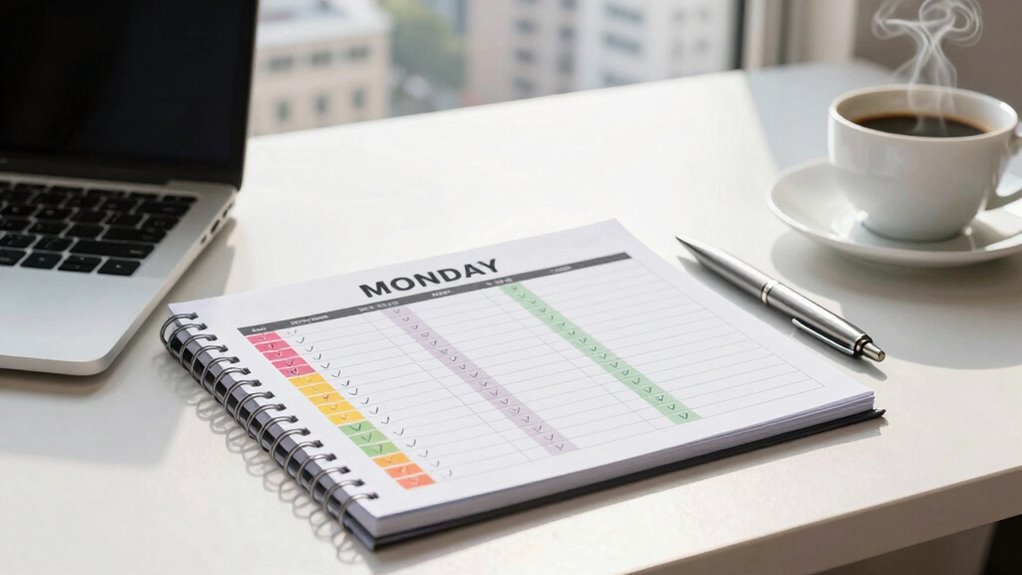

To build a helpful Monday scorecard, focus on creating a clear, visual tool that guides your weekly priorities and promotes team collaboration. Include sections for updates, questions, and challenges, using simple language to foster openness. Incorporate charts and color-coded indicators for quick insights into progress and task status, making data easy to understand. Pay attention to accessibility to guarantee everyone can interpret the visuals effectively. Keep these tips in mind to make your scorecard a powerful team tool—continue to discover how to optimize it even further.

Get the little things that make your day delivered free — and shop member deals
- Fast, free delivery on millions of items
- Access to Prime Big Deal Days deals on October 6–7
- Prime Video, Amazon Music and more included
Key Takeaways
- Define clear goals and key metrics aligned with team priorities for focused tracking.
- Incorporate sections for progress updates, questions, and challenges to promote collaboration.
- Use visual elements like charts, color codes, and graphs to simplify data interpretation.
- Ensure accessibility by maintaining high contrast, clear visuals, and easy-to-understand language.
- Integrate real-time updates and feedback mechanisms for ongoing engagement and swift issue resolution.

Starting your week with a clear, actionable plan can make all the difference, and a well-crafted Monday scorecard is a powerful tool to achieve that. When you design your scorecard thoughtfully, it becomes a central hub that guides your team through the week’s priorities, ensuring everyone stays aligned. To get started, focus on incorporating elements that promote team collaboration. Your scorecard should encourage transparency, making it easy for team members to see what’s expected of them and how their tasks contribute to overall goals. Use simple, straightforward language and include sections where team members can update their progress, ask questions, or flag challenges. This fosters open communication and keeps everyone on the same page.
A clear, collaborative scorecard fosters transparency, open communication, and team alignment for a successful week ahead.
Data visualization plays a crucial role in making your scorecard effective. Instead of presenting raw data or lengthy reports, utilize charts, graphs, and visual cues that quickly convey the status of ongoing projects. For example, color-coded indicators can instantly show which tasks are on track, delayed, or completed, helping you and your team identify priorities at a glance. Visual elements reduce cognitive load, making it easier to interpret complex information without sifting through endless details. When you integrate data visualization into your scorecard, you not only make it more engaging but also enhance decision-making. Your team can spot bottlenecks, recognize achievements, and adjust workflows swiftly. Incorporating visual feedback can further improve understanding and motivation by providing immediate, tangible cues about progress. Additionally, aligning your metrics with team collaboration principles ensures everyone works towards common objectives, fostering a more cohesive work environment. Recognizing and leveraging digital concepts can also optimize how your team interacts with the scorecard, making updates seamless and intuitive. Moreover, understanding the importance of contrast ratio can help in designing visual elements that are clear and accessible for all team members.
As an affiliate, we earn on qualifying purchases.
Frequently Asked Questions
What Tools Are Best for Creating a Monday Scorecard?
You should consider tools like Monday.com’s built-in features, which excel at scorecard automation and visual reporting. These tools allow you to easily set up automated updates and visualize data through charts and dashboards, making performance tracking straightforward. Additionally, integrating third-party tools like Google Sheets or Power BI can enhance your scorecard’s capabilities, providing more customization and advanced visual reporting options. This combination guarantees your scorecard remains dynamic and insightful.
How Often Should I Update My Monday Scorecard?
Like a trusty squire updates his armor, you should update your Monday scorecard daily. This keeps your data visualization sharp and guarantees user engagement remains high. Regular updates allow you to spot trends early, make informed decisions, and keep everyone aligned. Don’t let your scorecard go stale—consistent updates foster accountability and help your team stay focused on goals, making your dashboard a powerful tool rather than just a static report.
Can I Customize a Monday Scorecard for Different Teams?
Absolutely, you can customize a Monday scorecard for different teams. The platform offers scorecard flexibility, allowing you to tailor metrics and visualizations to suit each team’s goals. This enhances team collaboration by providing relevant, clear insights. By adjusting the scorecard for each team’s specific needs, you promote better engagement and accountability, ensuring everyone has the right tools to track their progress effectively.
How Do I Measure Success With My Scorecard?
You measure success with your scorecard by tracking performance metrics that directly reflect your team’s goals. Regularly review these metrics to see if your team is meeting key targets and making progress. Guarantee your scorecard aligns with overall goal alignment, so everyone stays focused on what truly matters. Celebrate wins and identify areas for improvement. This ongoing process helps you evaluate success and adjust strategies to drive continuous growth.
What Common Mistakes Should I Avoid When Building a Scorecard?
Avoid scorecard pitfalls and design errors by clearly defining your key metrics upfront. Don’t overload your scorecard with too many indicators; focus on what’s truly impactful. Steer clear of vague or subjective measures, and verify your data sources are reliable. Also, resist the urge to make it overly complex—simplicity boosts clarity. Regularly review and update your scorecard to prevent stagnation, keeping it aligned with your evolving goals.
As an affiliate, we earn on qualifying purchases.
Conclusion
Building a Monday scorecard is like planting a sturdy tree—you’ll need the right tools and consistent care. When you tailor it to your goals, it becomes a reliable compass guiding your week’s progress. Keep it simple, track your key metrics, and review regularly. With each update, you’ll strengthen your ability to stay focused and productive. Before you know it, your scorecard will be as essential as your morning coffee, energizing your week ahead.
As an affiliate, we earn on qualifying purchases.
As an affiliate, we earn on qualifying purchases.
NFL season / tailgating Picks
team gear
As an affiliate, we earn on qualifying purchases.