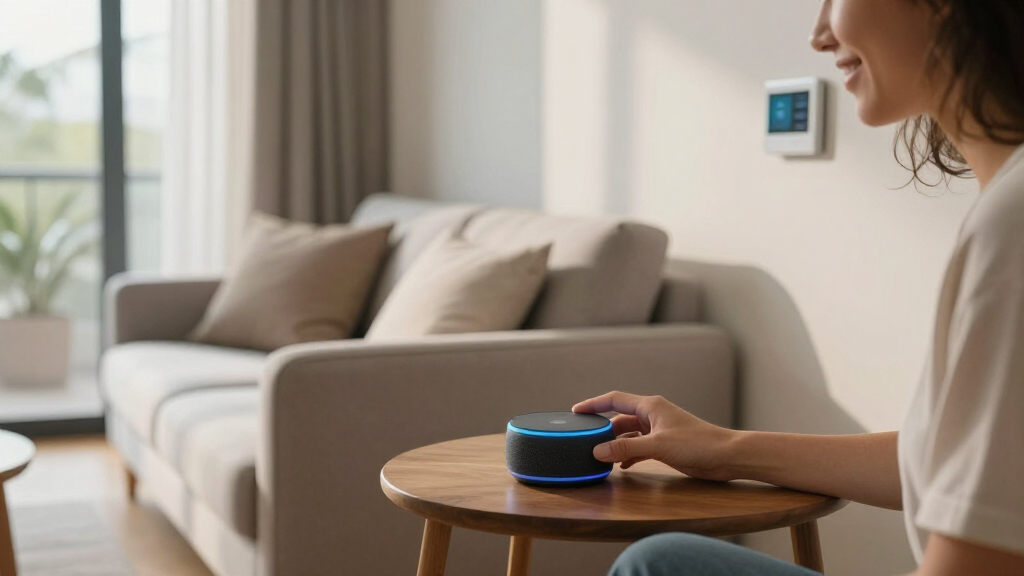
For buyers comparing Amazon devices for smart home control, my best overall pick is the Amazon Echo Hub because its dedicated dashboard makes connected lights, cameras, locks, and routines easier to manage than a general-purpose speaker. The Echo Dot (5th Gen) is the value standout for inexpensive voice control, while the Echo Show 15 is the premium choice for families that want a large shared display and Fire TV. The main choice is between voice-only access, a compact screen, and a permanent control panel. Buyers also need to weigh room placement, camera privacy, network compatibility, installation demands, and whether entertainment features justify a higher price. Continue reading for my full breakdown of where each device fits and which seemingly different listings offer little functional difference.

Get the little things that make your day delivered free — and shop member deals
- Fast, free delivery on millions of items
- Access to Prime Big Deal Days deals on October 6–7
- Prime Video, Amazon Music and more included
Key Takeaways
- Echo Hub leads this roundup because a persistent smart-home dashboard is more useful for device control than the entertainment-led design of an amazon.com/dp/B0BCR7M9KX?tag=simplemondays.com-20&ascsubtag=dc-1049626″ target=”_blank” rel=”nofollow sponsored noopener”>amazon.com/dp/B09B2SRGXH?tag=simplemondays.com-20&ascsubtag=dc-1049626″ target=”_blank” rel=”nofollow sponsored noopener”>amazon.com/dp/B09B8V1LZ3?tag=simplemondays.com-20&ascsubtag=dc-1049626″ target=”_blank” rel=”nofollow sponsored noopener”>amazon.com/dp/B0BFC7WQ6R?tag=simplemondays.com-20&ascsubtag=dc-1049626″ target=”_blank” rel=”nofollow sponsored noopener”>amazon.com/dp/B0C5DPSW5Y?tag=simplemondays.com-20&ascsubtag=dc-1049626″ target=”_blank” rel=”nofollow sponsored noopener”>amazon.com/dp/B09B2SBHQK?tag=simplemondays.com-20&ascsubtag=dc-1049626″ target=”_blank” rel=”nofollow sponsored noopener”>Echo Show.
- Echo Dot (5th Gen) offers the strongest value; the Charcoal, Glacier White, and Deep Sea Blue versions share the same core role, so price and color should drive the choice.
- Echo Show 15 is the premium household pick, but its larger screen and Fire TV support make more sense in a kitchen or shared room than beside a bed.
- The Echo Show 5 listings overlap heavily in size and purpose, making sale price, color, and the exact model generation more meaningful than minor wording differences.
- Amazon Smart Thermostat is the most specialized option: it can affect HVAC use directly, but the C-wire requirement and system compatibility make it less universal than an Echo device.
| Amazon Echo Show 11 |  | Best Overall | Display: 11-inch Full-HD touchscreen | Viewing Area: 60% more than Echo Show 8 | Processor: AZ3 Pro chip | VIEW LATEST PRICE | See Our Full Breakdown |
| Amazon Smart Thermostat |  | Best for Energy Savings | Device Type: Smart thermostat | Voice Compatibility: Alexa | Security Integration: Ring | VIEW LATEST PRICE | See Our Full Breakdown |
| Echo Show 5 |  | Best Compact Smart Display | Display: 5.5 inches | Dimensions: 5.8 W x 3.6 D x 3.2 H inches | Weight: 16.1 oz (456 g) | VIEW LATEST PRICE | See Our Full Breakdown |
| Amazon Echo Show 15 |  | Best Family Command Center | Display Size: 15.6 inches | Resolution: Full HD 1080p | Camera Position: Centered | VIEW LATEST PRICE | See Our Full Breakdown |
| Amazon Echo Spot |  | Best for the Bedside | Model: Newest model | Color: Black | Device Type: Smart alarm clock | VIEW LATEST PRICE | See Our Full Breakdown |
| Amazon Echo Dot (5th Gen) – Charcoal |  | Best Bedroom Smart Speaker | Size: 3.9 x 3.9 x 3.5 inches | Weight: 10.7 oz | Audio bandwidth: 62 Hz–19 kHz | VIEW LATEST PRICE | See Our Full Breakdown |
| Amazon Echo Show 5 (Newest Model) – Cloud Blue |  | Best Compact Display for Colorful Spaces | Display: 5.5 inches | Camera: 2 MP | Bass: 2x bass | VIEW LATEST PRICE | See Our Full Breakdown |
| Echo Dot (5th Gen) – Glacier White |  | Best Compact Pick for Light Décor | Size: 3.9 x 3.9 x 3.5 inches | Weight: 10.7 oz | Audio bandwidth: 62 Hz–19 kHz | VIEW LATEST PRICE | See Our Full Breakdown |
| Echo Show 5 (Newest Model) – Glacier White |  | Best Bedside Smart Display | Display: 5.5 inches | Camera: 2 MP | Speaker: Improved sound with enhanced bass | VIEW LATEST PRICE | See Our Full Breakdown |
| Amazon Echo Hub (Newest Model) – 8-Inch Smart Home Control Panel with Alexa+ |  | Best Dedicated Smart Home Controller | Display: 8 inches | Voice assistant: Alexa+ | Smart-home protocols: Zigbee, Matter, Sidewalk, and Thread | VIEW LATEST PRICE | See Our Full Breakdown |
| Amazon Echo Dot (5th Gen) – Deep Sea Blue |  | Best Voice-First Starter | Dimensions: 3.9 × 3.9 × 3.5 inches (100 × 100 × 89 mm) | Weight: 10.7 oz (304 g) | Speaker: 1.6-inch full-range driver | VIEW LATEST PRICE | See Our Full Breakdown |
| Amazon devices for smart home | Display | Privacy Controls |
|---|---|---|
| Amazon Echo Show 11 | 11-inch Full-HD touchscreen | Microphone and camera disable buttons |
| Amazon Smart Thermostat | — | — |
| Echo Show 5 | 5.5 inches | Mic/camera-off button and camera shutter |
| Amazon Echo Show 15 | — | Mic/camera-off button and built-in shutter |
| Amazon Echo Spot | Customizable clock display | Mic-off button and in-app controls |
| Amazon Echo Dot | — | — |
| Amazon Echo Show 5 | 5.5 inches | Mic/camera-off button and camera shutter |
| Echo Dot | — | — |
| Echo Show 5 | 5.5 inches | Mic/camera-off button and camera shutter |
| Amazon Echo Hub | 8 inches | — |
| Amazon Echo Dot | — | — |
More Details on Our Top Picks
Amazon Echo Show 11
I rank the Amazon Echo Show 11 as the best all-around choice because its 11-inch Full-HD screen balances visibility with placement flexibility. It provides 60% more viewing area than the Echo Show 8, making camera feeds, controls, recipes, and video calls easier to follow without occupying as much space as the Echo Show 15. The AZ3 Pro chip and Omnisense technology also give it a stronger foundation for responsive, personalized routines. Compared with the Echo Show 5, its centered camera, auto-framing, and spatial audio make it far better for shared rooms and calls. That capability comes with a higher price and larger footprint, while many features only pay off after compatible devices are connected. I see it as the most balanced smart-home display, rather than the cheapest entry point.
Pros:- Large Full-HD screen makes dashboards and camera feeds easy to read
- AZ3 Pro chip supports responsive smart-home interactions
- Spatial audio and stronger bass suit shared-room entertainment
- Centered auto-framing camera improves household video calls
Cons:- Premium pricing is harder to justify for basic voice commands
- Eleven-inch body requires more surface space than the Echo Show 5
- Advanced routines depend on compatible connected devices
Best for: Alexa-centered households seeking one capable display for smart-home controls, video calls, media, and shared-room routines
Not ideal for: Budget buyers or people with narrow counters who would get enough control from the smaller Echo Show 5
- Display:11-inch Full-HD touchscreen
- Viewing Area:60% more than Echo Show 8
- Processor:AZ3 Pro chip
- Audio:Spatial audio with up to 2x bass
- Camera:Centered camera with auto-framing
- Camera Zoom:Up to 3.3x
- Smart Home Hub:Built in
- Privacy Controls:Microphone and camera disable buttons
Our verdict“I recommend the Echo Show 11 to buyers who want the strongest balance of screen space, audio, calling, and smart-home control.”
Amazon Smart Thermostat
The Amazon Smart Thermostat earns its place by controlling the equipment that can have the largest effect on household energy use. Unlike the Echo Show 11 or Echo Show 15, it is not a general-purpose Alexa interface; it focuses on heating and cooling schedules, app-based adjustments, and Alexa or Ring integration. That narrower role makes it useful even when another Echo device already handles voice commands. Amazon cites an EPA estimate of up to $90 in annual savings, although actual results will vary with climate, settings, and HVAC use. The guided DIY setup lowers the installation barrier, but the required C-wire is a firm limitation and may lead to extra electrical work. I favor it for Alexa households seeking practical automation, while buyers using broader smart-home platforms may find its ecosystem compatibility too restrictive.
Pros:- Programmable schedules can reduce unnecessary heating and cooling
- Remote app control allows temperature changes away from home
- Alexa and Ring integration fits an existing Amazon setup
- App-guided instructions make DIY installation more approachable
Cons:- A C-wire is required and may add installation work
- Compatibility is limited for households outside Alexa and Ring
- Energy savings vary by climate, HVAC equipment, and user behavior
Best for: Homeowners with a compatible C-wire HVAC system who already use Alexa or Ring and want scheduled temperature control
Not ideal for: Renters, homes without a C-wire, or households built around a non-Alexa automation platform
- Device Type:Smart thermostat
- Voice Compatibility:Alexa
- Security Integration:Ring
- Wiring Requirement:C-wire required
- Estimated Energy Savings:Up to $90 annually based on an EPA estimate
- Installation:DIY with app guidance
- Scheduling:Programmable schedules
- Underlying Technology:Honeywell Home Thermostat Technology
Our verdict“I recommend this thermostat to Alexa or Ring households with compatible wiring that prioritize useful energy automation over a display.”
Echo Show 5
I chose the Echo Show 5 for rooms where a full smart display is useful but counter or nightstand space is limited. Its 5.5-inch screen can show weather, photos, compatible camera feeds, and video calls while occupying far less room than the Echo Show 11. The physical camera shutter and mic/camera-off button are welcome in bedrooms, and the improved bass gives this model more utility as a small speaker. Size is also its main compromise: dashboards, video, and multi-camera viewing are easier on the Echo Show 11 or Echo Show 15. Its 2 MP camera is adequate for casual calls but trails the larger displays for call quality and framing. I rank it above an Echo Dot when visual feedback matters, yet its small-screen limitations make it a secondary-room controller rather than a household command center.
Pros:- Compact body fits crowded desks, shelves, and nightstands
- Screen adds camera feeds and visual feedback absent from an Echo Dot
- Physical camera shutter provides direct privacy control
- Improved bass makes the small display more useful for casual listening
Cons:- Small screen feels cramped for dashboards and longer video viewing
- Two-megapixel camera limits video-call detail
- Does not support ad-hoc Wi-Fi networks
Best for: Apartment residents and bedroom or office users who want visual Alexa controls in a very small footprint
Not ideal for: Families wanting a central dashboard, roomy video viewing, or higher-quality group video calls
- Display:5.5 inches
- Dimensions:5.8 W x 3.6 D x 3.2 H inches
- Weight:16.1 oz (456 g)
- Camera:2 MP with built-in shutter
- Wi-Fi:Dual-band 802.11a/b/g/n/ac
- Bluetooth:A2DP and AVRCP support
- Speaker:1.75-inch full-range speaker
- Privacy Controls:Mic/camera-off button and camera shutter
- Materials:Recycled polyester fabric and recycled aluminum
Our verdict“I recommend the Echo Show 5 as a space-saving visual Alexa controller for a bedroom, office, or compact apartment.”
Amazon Echo Show 15
The Amazon Echo Show 15 is my pick for families who want schedules, widgets, entertainment, and smart-home controls visible from across a kitchen or shared room. Its 15.6-inch Full HD panel gives dashboards and camera views much more breathing room than the Echo Show 11, while built-in Fire TV lets the screen double as a streaming display. That combination makes it the most versatile communal option here, especially when several household members need shared information. The Echo Show 11 remains easier to place and is a better fit when audio and video calling take priority over sheer screen size. With the Show 15, the large footprint demands a suitable location, and some streaming apps require separate subscriptions. I would choose it for an established Alexa household, but it is excessive for basic voice control or a narrow countertop.
Pros:- Large Full HD panel keeps family widgets and controls readable
- Built-in Fire TV adds substantial streaming utility
- Smart-home dashboard works well as a shared control point
- Centered auto-framing camera supports group calls
Cons:- Large display can overwhelm small rooms and counters
- Some Fire TV services require paid subscriptions
- A shared always-present screen may not suit privacy-sensitive households
Best for: Busy Alexa households that want a large kitchen or shared-room dashboard for widgets, cameras, streaming, and family organization
Not ideal for: Small-home residents or voice-first users who lack enough wall or counter space for a 15.6-inch display
- Display Size:15.6 inches
- Resolution:Full HD 1080p
- Camera Position:Centered
- Camera Features:Auto-framing with wide field of view
- Wireless Connectivity:Wi-Fi and Bluetooth
- Streaming Platform:Fire TV built in
- Smart-Home Interface:Built-in smart-home dashboard
- Privacy Controls:Mic/camera-off button and built-in shutter
Our verdict“I recommend the Echo Show 15 to families seeking a highly visible shared dashboard that can also serve as a streaming screen.”
Amazon Echo Spot
I place the Amazon Echo Spot in the bedroom-first role because its customizable clock display, alarms, music controls, and Alexa routines match morning and evening use. Compared with the Echo Show 5, the Spot is more focused on glanceable time and routine information than video calls, photos, or camera viewing. Its clear vocals and deeper bass also make it a more capable alarm-clock replacement than a basic digital clock. The built-in mesh Wi-Fi extender can broaden coverage by up to 1,000 square feet, adding value in compatible network setups. Still, the limited display is not designed for rich visual control, and most functions depend on a reliable Wi-Fi connection. I would pick it over an Echo Dot for bedside visual cues, but choose the Echo Show 5 when video and security feeds matter.
Pros:- Customizable clock display works well for bedside information
- Clear vocals and deep bass improve alarms and casual music
- Alexa routines can coordinate morning and evening devices
- Mesh extender can add up to 1,000 square feet of Wi-Fi coverage
Cons:- Limited display cannot replace a full Echo Show interface
- Full functionality relies on a stable Wi-Fi connection
- Mesh extension is useful only within a compatible network setup
Best for: Alexa users who want a bedside clock, alarm, music speaker, routine controller, and compatible mesh Wi-Fi extension
Not ideal for: Buyers who want video calls, detailed camera feeds, or a full smart-home dashboard on the display
- Model:Newest model
- Color:Black
- Device Type:Smart alarm clock
- Voice Assistant:Alexa
- Display:Customizable clock display
- Smart-Home Features:Device control and routines
- Wi-Fi Extension:Mesh extender with up to 1,000 sq. ft. coverage
- Materials:Made with 36% recycled materials
- Privacy Controls:Mic-off button and in-app controls
Our verdict“I recommend the Echo Spot to bedside users who value alarms, routines, sound, and glanceable information more than video features.”
Amazon Echo Dot (5th Gen) – Charcoal
I rank the Amazon Echo Dot (5th Gen) in Charcoal as the best bedroom speaker because its compact body, Alexa routines, and full-range 1.6-inch driver cover bedside listening and voice control without adding a screen. Unlike the Echo Show 5, it has no camera or glowing display to distract at night, while still handling Matter, Wi-Fi, and Bluetooth devices. Its eero function can also strengthen coverage in a weak room, but only with a compatible eero router. Compared with the Glacier White Echo Dot, performance is effectively identical; Charcoal simply blends more easily with darker furniture. I would skip it for video doorbell feeds or visual controls, and buyers should expect some setup work for linked services and advanced routines.
Pros:- The compact body fits easily on a nightstand or small shelf.
- The 1.6-inch driver provides fuller everyday audio than its size suggests.
- Matter, Wi-Fi, and Bluetooth support cover common smart-home connections.
- The microphone-off button provides a direct hardware privacy control.
Cons:- The Wi-Fi extension feature requires a compatible eero router.
- It cannot display security cameras, visual timers, or touch controls.
- Linked services and advanced routines may require substantial app setup.
Best for: I recommend it to bedroom users who want discreet Alexa control, music, routines, and optional eero coverage without a screen or camera.
Not ideal for: I would skip it for buyers who need camera feeds, video calls, or a touch-based smart-home dashboard.
- Size:3.9 x 3.9 x 3.5 inches
- Weight:10.7 oz
- Audio bandwidth:62 Hz–19 kHz
- Driver:1.6-inch full-range driver
- Wi-Fi:Dual-band 802.11a/b/g/n/ac, 2.4 GHz and 5 GHz
- Built-in networking:eero mesh Wi-Fi extender
- Smart-home compatibility:Wi-Fi, Bluetooth, and Matter
- Privacy:Microphone-off button and multiple privacy controls
Our verdict“I would choose this Echo Dot for a bedroom where compact voice control matters more than a display.”
Amazon Echo Show 5 (Newest Model) – Cloud Blue
The Echo Show 5 in Cloud Blue earns this role by pairing a small 5.5-inch screen with a finish that feels less utilitarian than Charcoal or Glacier White. I see it working best in a child’s room, casual kitchen corner, or colorful office where buyers want visual weather, camera feeds, and video calls without the footprint of an Echo Show 11 or Echo Show 15. It also offers deeper bass than earlier Show 5 generations, though the Echo Dot remains the cleaner choice when music and voice commands matter more than visuals. The tradeoff is screen size: recipes, detailed camera views, and longer videos feel cramped. Its 2 MP camera suits casual calls and monitoring, while the physical shutter and combined mic/camera button provide clearer privacy control.
Pros:- The 5.5-inch display supplies useful visual information in a compact footprint.
- Improved bass and vocal clarity suit spoken responses and casual listening.
- The 2 MP camera supports video calls and home monitoring.
- A physical camera shutter complements the mic and camera disable button.
Cons:- The small screen restricts recipes, detailed camera views, and extended viewing.
- The 2 MP camera is basic compared with dedicated video-call hardware.
- Smart-home controls remain dependent on compatible devices and services.
Best for: I recommend it to buyers furnishing a colorful bedroom, small office, or kitchen nook who want glanceable information and casual video calls.
Not ideal for: I would skip it for viewers who want detailed security feeds, comfortable video playback, or a large shared household dashboard.
- Display:5.5 inches
- Camera:2 MP
- Bass:2x bass
- Color:Cloud Blue
- Privacy controls:Mic/camera-off button and camera shutter
- Ring video privacy:End-to-end encrypted video support
- Materials:Recycled polyester yarn and recycled aluminum
- Packaging:Recyclable
Our verdict“I would pick this model when a cheerful finish and basic visual Alexa features matter more than screen size.”
Echo Dot (5th Gen) – Glacier White
I place the Echo Dot (5th Gen) in Glacier White here for buyers who want Alexa to disappear into pale shelves, counters, or office furniture. Functionally, it matches the Charcoal Echo Dot: the same 1.6-inch driver, dual-band Wi-Fi, Bluetooth streaming, and eero coverage up to 1,000 square feet with a compatible router. That makes color and placement the real buying decision, not performance. Compared with the Echo Show 5 in Glacier White, this Dot occupies less space and avoids a camera, but it cannot show a doorbell feed or offer touch controls. I like its fit for secondary rooms where spoken routines and music are enough. Buyers without eero hardware gain no mesh benefit, and account linking can make a simple speaker feel less immediate during setup.
Pros:- The Glacier White finish blends naturally with pale walls and furniture.
- Its small footprint suits shelves, counters, and compact desks.
- Built-in eero can extend compatible networks by up to 1,000 square feet.
- Alexa, Bluetooth, and dual-band Wi-Fi support flexible everyday use.
Cons:- Its smart-home status and camera feeds cannot be viewed on the device.
- The eero feature has no value without compatible networking hardware.
- Ad-hoc Wi-Fi networks are not supported.
Best for: I recommend it to apartment dwellers and home-office users who want a small Alexa speaker that blends with light-colored décor.
Not ideal for: I would skip it for buyers who expect visual smart-home controls or who are choosing it mainly for eero coverage without owning a compatible router.
- Size:3.9 x 3.9 x 3.5 inches
- Weight:10.7 oz
- Audio bandwidth:62 Hz–19 kHz
- Driver:1.6-inch full-range driver
- Wi-Fi:Dual-band 802.11a/b/g/n/ac, 2.4 GHz and 5 GHz
- Bluetooth:Bluetooth Low Energy, A2DP, and AVRCP
- eero Built-in:Up to 1,000 sq. ft. of coverage at speeds up to 100 Mbps
- Privacy:Microphone-off button and multiple privacy controls
Our verdict“I would buy this version for compact voice control in a light-colored room, not for visual monitoring.”
Echo Show 5 (Newest Model) – Glacier White
I rank the Echo Show 5 in Glacier White as the strongest bedside display in this batch because its 5.5-inch screen can show alarms, weather, photos, and compatible camera feeds without dominating a nightstand. Compared with the Glacier White Echo Dot, it adds touch controls and a 2 MP camera, making it more useful for visual routines and casual calls; the Dot remains smaller and less intrusive for audio-only buyers. The improved bass helps music sound less thin, but neither this model nor the other Show 5 color is aimed at demanding listeners. Its compact screen is also a compromise when inspecting security footage or following detailed content. I give it an advantage for privacy-conscious bedrooms because the camera shutter offers a visible physical barrier.
Pros:- The compact display fits more easily on a nightstand than larger Echo Show models.
- Touch controls and camera views add utility beyond an Echo Dot.
- Improved bass and clearer sound support alarms, speech, and casual music.
- The physical camera shutter makes bedroom privacy easier to verify.
Cons:- The 5.5-inch screen is cramped for detailed footage and longer video sessions.
- The 2 MP camera offers only basic video-call quality.
- Audio performance is not designed for demanding music listeners.
Best for: I recommend it to bedside users who want alarms, visual Alexa responses, photo display, and occasional security-camera checks in a compact device.
Not ideal for: I would skip it for audiophiles or households that need a large, centrally shared control screen with detailed camera views.
- Display:5.5 inches
- Camera:2 MP
- Speaker:Improved sound with enhanced bass
- Color:Glacier White
- Privacy controls:Mic/camera-off button and camera shutter
- Ring video privacy:Encrypted video support
- Materials:Recycled polyester fabric and recycled aluminum
- Packaging:Recyclable
Our verdict“I would choose this Echo Show 5 for a nightstand that needs visual Alexa features without the bulk of a larger display.”
Amazon Echo Hub (Newest Model) – 8-Inch Smart Home Control Panel with Alexa+
The Amazon Echo Hub takes the highest-control role because it is built around a customizable dashboard rather than entertainment. Its 8-inch screen gives lights, locks, routines, cameras, and security controls more room than the Echo Show 5, while support for Zigbee, Matter, Thread, and Sidewalk makes it the better foundation for a mixed-device home. Compared with the Echo Show 15, it is more focused and less suited to television or large-format family content. I would choose it for a hallway or entryway where several people need consistent controls without reaching for a phone. That focus carries costs: wall hardware and cable-routing accessories may require separate purchases, while some Ring functions depend on separately sold cameras or subscriptions. It is excessive for homes with only a few smart bulbs.
Pros:- The customizable 8-inch dashboard places frequent controls within easy reach.
- Zigbee, Matter, Thread, and Sidewalk support suit mixed-device households.
- Camera, routine, device, and security controls are gathered in one interface.
- Alexa+ adds voice control when touch input is inconvenient.
Cons:- Wall-mounting and cable pass-through accessories may cost extra.
- Some Ring camera and subscription features require separate purchases.
- Its focused control-panel design offers less entertainment value than larger Echo Show models.
Best for: I recommend it to established smart-home households that need a shared wall or countertop panel for devices, cameras, routines, and security.
Not ideal for: I would skip it for small Alexa setups, entertainment-focused buyers, or renters unwilling to add mounting and cable-management hardware.
- Display:8 inches
- Voice assistant:Alexa+
- Smart-home protocols:Zigbee, Matter, Sidewalk, and Thread
- Connectivity:Wi-Fi and Bluetooth
- Controls:Devices, cameras, routines, and security systems
- Privacy:Microphone-off button and multiple privacy controls
- Recycled content:Made with 27% recycled materials
- Packaging:Wood-fiber-based packaging from recycled sources
Our verdict“I would choose the Echo Hub for a mature smart home that needs one shared control point rather than another general-purpose display.”
Amazon Echo Dot (5th Gen) – Deep Sea Blue
I rank the Amazon Echo Dot (5th Gen) as the best starting point for buyers who want voice-controlled lighting, plugs, and routines without adding another screen. Its compact body fits easily on a shelf or desk, while motion and temperature sensors can trigger useful automations, such as turning on lights when someone enters or starting a fan when a room gets warm. Compared with the Amazon Echo Hub, it offers less direct control because there is no touchscreen, but it costs less and feels less intrusive in bedrooms or offices. The 1.6-inch driver is suitable for casual music and Alexa responses, though the Echo Show 5 adds visual feedback. eero Built-in can improve coverage, but only with a compatible eero network, and some smart-home features require extra setup.
Pros:- Motion and temperature sensors support practical room-based Alexa routines
- Compact design provides voice control without the distraction of a screen
- eero Built-in can extend a compatible mesh network
- Matter and Bluetooth Low Energy support broaden compatible-device options
Cons:- No display for camera feeds, touch controls, or visual status information
- Wi-Fi extension requires a compatible eero router and network setup
- Account linking and app configuration can make advanced automations less beginner-friendly
Best for: First-time Alexa users who want compact, screen-free voice control and sensor-based routines in a bedroom, office, or dining area
Not ideal for: Buyers who want a visual smart-home dashboard or lack a compatible eero router for the Wi-Fi extension feature
- Dimensions:3.9 × 3.9 × 3.5 inches (100 × 100 × 89 mm)
- Weight:10.7 oz (304 g)
- Speaker:1.6-inch full-range driver
- Audio bandwidth:62 Hz–19 kHz
- Wi-Fi:Dual-band 802.11a/b/g/n/ac, 2.4 GHz and 5 GHz
- Smart-home connectivity:Bluetooth Low Energy, Mesh, and Matter
- Built-in features:eero Built-in, Amazon Sidewalk, motion sensor, and temperature sensor
- Color:Deep Sea Blue
Our verdict“Choose this Echo Dot for an affordable, compact Alexa control point with useful sensors, provided you do not need a screen or standalone mesh extension.”
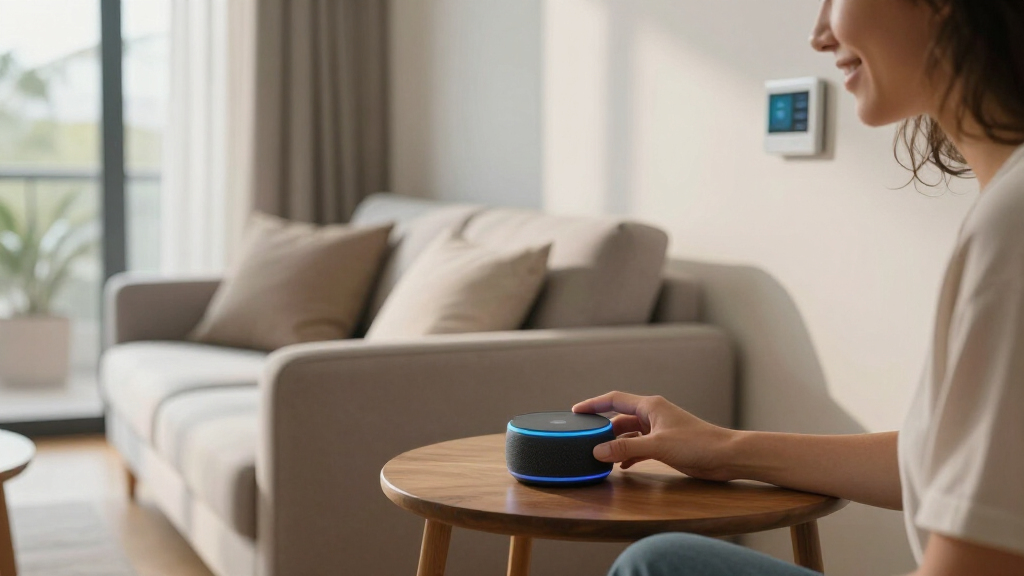
How We Picked
I ranked these devices by smart-home control utility before entertainment value. My main criteria were device compatibility, speed of everyday access, interface clarity, room suitability, privacy controls, installation demands, and the number of household members who could use the product comfortably. I also looked at how much capability each option adds beyond an Alexa app already running on a phone. A dedicated dashboard ranked above a general display when it made lights, cameras, locks, and routines easier to reach. Price-to-purpose value mattered more than screen size alone.
I gave lower placement to products that duplicate another entry without adding a meaningful capability. That is why the three Echo Dot color variants and overlapping Echo Show 5 listings should be separated mainly by price, finish, and confirmed generation rather than marketing language. Large displays gained credit for shared calendars, camera views, and entertainment, but lost ground when they demanded more space or cost far more than a simpler controller. The thermostat received credit for direct HVAC management while taking a penalty for wiring and compatibility limits. This approach makes the order reflect how well each device solves a distinct household need.
| Amazon devices for smart home | Privacy Controls |
|---|---|
| Amazon Echo Show 11 | Microphone and camera disable buttons |
| Amazon Smart Thermostat | — |
| Echo Show 5 | Mic/camera-off button and camera shutter |
| Amazon Echo Show 15 | Mic/camera-off button and built-in shutter |
| Amazon Echo Spot | Mic-off button and in-app controls |
| Amazon Echo Dot | — |
| Amazon Echo Show 5 | Mic/camera-off button and camera shutter |
| Echo Dot | — |
| Echo Show 5 | Mic/camera-off button and camera shutter |
| Amazon Echo Hub | — |
| Amazon Echo Dot | — |
Factors to Consider When Choosing Amazon Devices For Smart Home
I would start with the control problem rather than the device category. Voice speakers, smart displays, control panels, and thermostats may all use Alexa, but they solve different problems. The right purchase depends on where commands happen, who needs access, and which connected products are already installed. A lower-cost device can be the smarter buy when voice control is enough, while a dedicated panel earns its price in a busy multi-user home.
Choose Between Voice Control and a Visible Dashboard
A voice-only speaker works well when household members already know device names and routine commands. A screen becomes more useful when people need to see camera feeds, tap room controls, or follow visual prompts. The Echo Hub is built around that control-panel role, while an Echo Show mixes controls with video, recipes, calls, and entertainment. I would favor a display for guests, children, or anyone who finds spoken command syntax frustrating. Voice speakers still have an advantage in bedrooms and small rooms because they occupy less space and cost less. Paying for a screen rarely makes sense if it will only show a clock while every command remains verbal.
Verify Compatibility Beyond the Alexa Label
Works with Alexa does not always mean a device connects directly to every Echo product. Some accessories rely on a manufacturer cloud service, a separate bridge, or a particular wireless protocol. I recommend checking each existing lock, bulb, sensor, camera, and thermostat before choosing a central controller. Matter support can simplify mixed-brand setups, but older products may still depend on their original hub or Alexa skill. Local radio support may also affect response speed and what continues working during an internet outage. A short compatibility audit can prevent buying a premium panel that merely duplicates controls already provided by another bridge.
Match the Screen Size to the Room
A bigger display is not automatically a better smart-home controller. The Echo Show 15 suits a wall or shared counter where calendars, widgets, camera views, and Fire TV can remain visible. Smaller Echo Show models fit bedside tables and desks, though their compact screens display fewer controls at once. I would measure the intended location and account for power-cable routing before choosing a screen. Viewing distance matters too: a small panel can feel cramped across a kitchen, while a 15.6-inch display can overwhelm a nightstand. The best size is the one that keeps frequent controls readable and reachable without taking over the room.
Treat Mesh Wi-Fi Features as a Bonus
Several Echo Dot listings promote eero Built-in, but that feature should not replace a planned Wi-Fi upgrade. It depends on a compatible eero network and has performance limits compared with a dedicated access point. I would buy an Echo Dot for Alexa, audio, and room-level control, then view mesh extension as an added benefit. Homes with weak coverage may need better router placement, wired backhaul, or another full eero unit. A smart speaker placed for voice pickup may also sit in the wrong location for network coverage. Keeping those two jobs separate leads to a more reliable connected-home setup.
Account for Installation, Privacy, and Ongoing Costs
The purchase price is only one part of ownership. The Amazon Smart Thermostat requires a C-wire, and installation help may add cost if the existing wiring is unsuitable. Displays with cameras deserve placement where household members are comfortable with calling and monitoring features, even when shutters and microphone controls are available. Alexa+ availability, account eligibility, and subscription terms can also change the long-term value of newer models. I would check which features work without a paid plan and whether every family member can access shared controls. Mounts, stands, electrical outlets, compatible bridges, and optional services can turn a seemingly inexpensive device into a larger project.
Frequently Asked Questions
Should I Buy an Echo Hub or an Echo Show for Smart-Home Control?
I would choose the Echo Hub for dedicated control of lights, cameras, locks, sensors, and routines. Its interface is better matched to a permanent dashboard that multiple household members can approach and tap. An Echo Show is the better multipurpose choice when streaming, recipes, video calls, photos, and music matter alongside device control. The Echo Show 15 is especially suitable for a shared family space, while smaller Show models fit personal rooms. Buyers who place control ahead of entertainment should favor the Hub.
Are the Three Echo Dot (5th Gen) Listings Functionally Different?
The listed Charcoal, Glacier White, and Deep Sea Blue models are color variants of the Echo Dot (5th Gen), not separate performance tiers. Differences in listing titles may highlight Bluetooth, smart-home control, or eero support, but those phrases do not automatically indicate different internal hardware. I would confirm the generation and included accessories on the current product page, then buy the least expensive preferred color. A discount matters more than a longer feature title. These Dots make sense as low-cost Alexa endpoints in rooms that do not need screens.
Which Echo Show Size Is Best for a Kitchen, Bedroom, or Shared Space?
For a bedroom or compact desk, I would pick the Echo Show 5 because its small footprint suits alarms, quick weather checks, and brief camera views. The Echo Show 11 offers a more balanced screen for kitchens where recipes, calls, audio, and controls share equal weight. A shared family area can justify the Echo Show 15 for larger widgets, calendars, and Fire TV. Screen size should rise with viewing distance and the number of people using it. Paying for the largest model is wasteful when the display will sit within arm’s reach and serve one person.
Can I Install the Amazon Smart Thermostat Without a C-Wire?
The product in this roundup specifies a C-wire requirement, so I would not buy it until the existing thermostat wiring and HVAC system have been checked. A missing wire may require professional installation or a system-specific wiring solution. Compatibility involves more than finding an unused conductor behind the wall because the heating and cooling equipment must also support the thermostat. Renters should obtain permission before changing fixed HVAC controls. If wiring work is impractical, an Echo speaker or display remains a safer entry point for controlling compatible plug-in devices, lights, and cameras.
Do I Need Alexa+ to Use These Amazon Smart Home Devices?
I would not treat Alexa+ as a requirement for basic hardware value such as voice commands, alarms, audio, and standard smart-device controls. Advanced conversational features may depend on the device, account, region, and Amazon’s current service terms. Before paying extra for a model advertised with Alexa+, check which features are included and whether they are available to the intended household account. The Echo Hub and Echo Show screens still provide value through visual controls and camera access beyond any AI service tier. Buyers focused on simple commands may get more value from an Echo Dot or discounted Echo Show.
Conclusion
For the strongest dedicated smart-home experience, my best overall choice is the Amazon Echo Hub; it places controls ahead of entertainment and works well as a shared household panel. My best value pick is the Echo Dot (5th Gen), with color and current price serving as the deciding factors among its three listings. Beginners who want visual confirmation should start with an Echo Show 5, while the Echo Show 15 is my premium recommendation for a large shared display with Fire TV. The Echo Show 11 makes the most sense for buyers seeking a middle ground between room controls, audio, video, and everyday screen features. For specific needs, I would choose the Echo Spot as a bedside Alexa clock and the Amazon Smart Thermostat for compatible HVAC systems with a C-wire. Buyers focused almost entirely on connected-device management should choose the Hub, while those wanting one device for both home control and media should choose an Echo Show.
NFL season / tailgating Picks
team gear
As an affiliate, we earn on qualifying purchases.