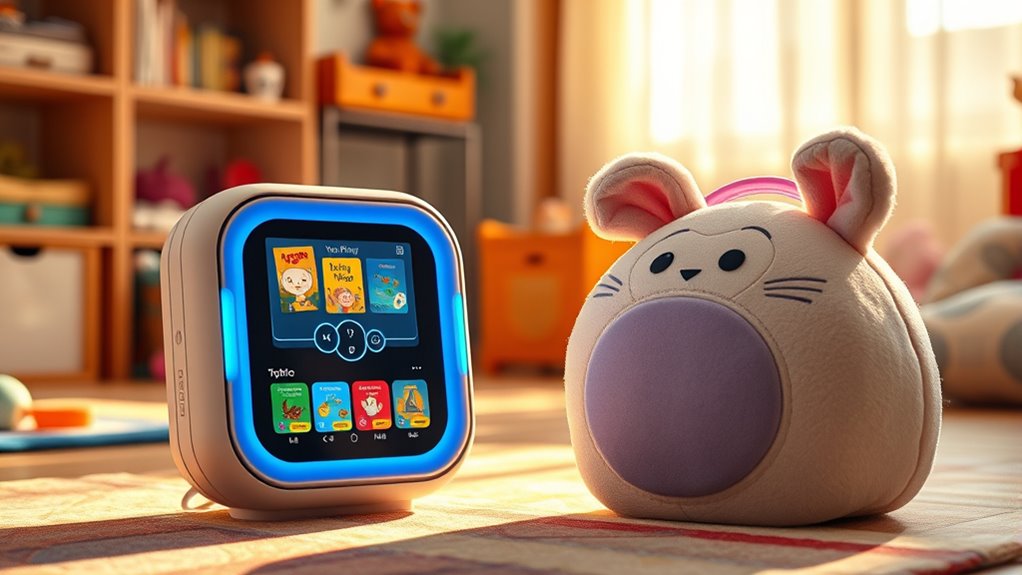

In 2025, I think the Yoto Player is the top choice because of its wide content library, customization options, and portability, which is great for on-the-go use. The Toniebox offers a durable, simple design perfect for younger kids and less tech-savvy parents, but it’s bulkier and less travel-friendly. If you want to explore all the features and see which fits your family best, keep going—there’s more to discover.
Key Takeaways
- Yoto offers a broader content library with over 1,000 cards, including customizable options, while Toniebox has a curated selection of collectible figures.
- Toniebox features a durable, soft cube design ideal for active children, whereas Yoto devices prioritize portability and ruggedness with sturdy builds.
- Toniebox provides intuitive, child-friendly controls with minimal setup, while Yoto offers more control through physical cards and a comprehensive app.
- Both devices have strong parental controls; Yoto’s app allows detailed content management, whereas Toniebox emphasizes simple, screen-free safety features.
- Yoto’s longer battery life and travel-friendly Mini make it more suitable for on-the-go use, while Toniebox excels in home durability and routine features.
Toniebox 2 Audio Player Starter Set for Kids 1+ with Playtime Puppy
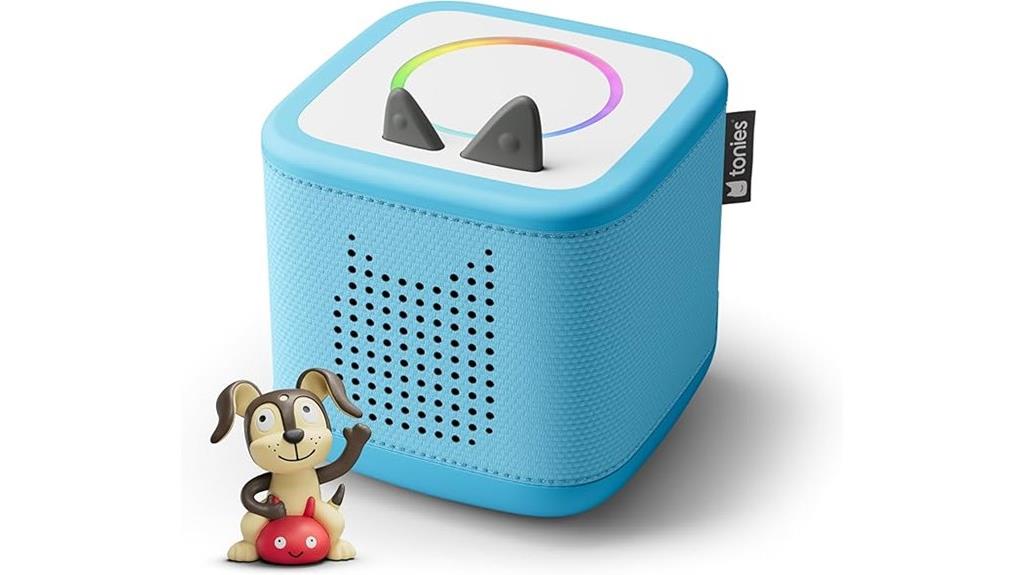
If you’re looking for a durable, easy-to-use audio player for children aged 1 and up, the Toniebox 2 Starter Set with Playtime Puppy is a standout choice. Its kid-friendly design encourages independent play, with simple controls like ears for volume and sides for track changes. The set includes a sky-blue Toniebox, a Playtime Puppy Tonie, and a USB-C charger, making setup straightforward. It offers hundreds of songs, stories, and interactive content that grows with your child. The device supports safe, screen-free entertainment, and parental controls via the app add extra peace of mind. Its sturdy build and engaging features make it perfect for young kids beginning their audio adventure.
Best For: parents and caregivers seeking a durable, easy-to-use, screen-free audio player that encourages independent play and growth for children aged 1 and up.
Pros:
- Kid-friendly, intuitive controls designed for young children’s independent use
- Extensive content library including songs, stories, and interactive games that evolve with the child
- Parental control via the app ensures safe, ad-free entertainment and peace of mind
Cons:
- Wi-Fi is required for initial setup, which might be inconvenient for some users
- Additional accessories like power adapters and extra Tonies are sold separately, increasing overall cost
- Interactive features like Tonieplay require separate purchases and may be complex for very young children
Toniebox 2 Audio Player Starter Set for Kids 1
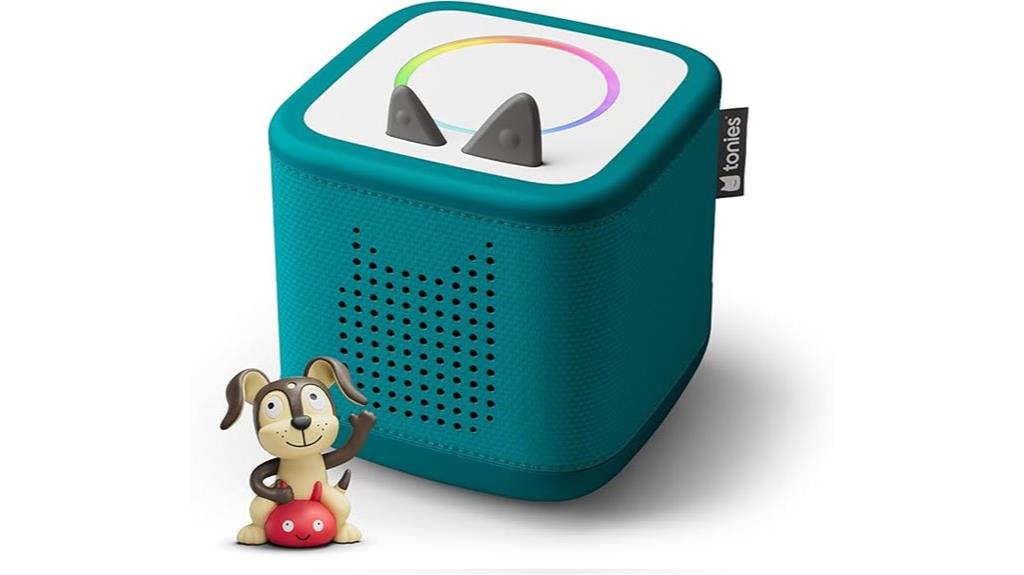
The Toniebox 2 Audio Player Starter Set for Kids 1+ is an excellent choice for parents seeking a durable, screen-free device that encourages independent play. Its kid-friendly controls make it easy for children to navigate, fostering autonomy. Designed for ages 1–9+, it supports a vast library of stories, songs, and games, including hundreds of Tonies. The set includes a Tropical Teal Toniebox, an 8.6-inch USB-C charging cable, and a Playtime Puppy Tonie. With features like Sleep Timer, Sunrise Alarm, and parental monitoring via the Tonies app, it offers a safe, engaging, and versatile audio experience for young kids.
Best For: parents and caregivers seeking a durable, screen-free audio device that encourages independent play and safe entertainment for children aged 1–9+.
Pros:
- Kid-friendly, intuitive controls promote independent use and easy navigation.
- Supports a vast library of stories, songs, and games with hundreds of Tonies and regular new releases.
- Features safe bedtime and wake-up routines with Sleep Timer, Sunrise Alarm, and parental monitoring via the Tonies app.
Cons:
- Wi-Fi is required for initial setup, which may be a limitation in areas with poor connectivity.
- Additional accessories like Tonies, power adapters, and longer cables are sold separately, increasing overall cost.
- Interactive features such as Tonieplay are optional and sold separately, potentially limiting immediate engagement.
Yoto Mini (2024 Edition) Bluetooth Audio Player for Kids
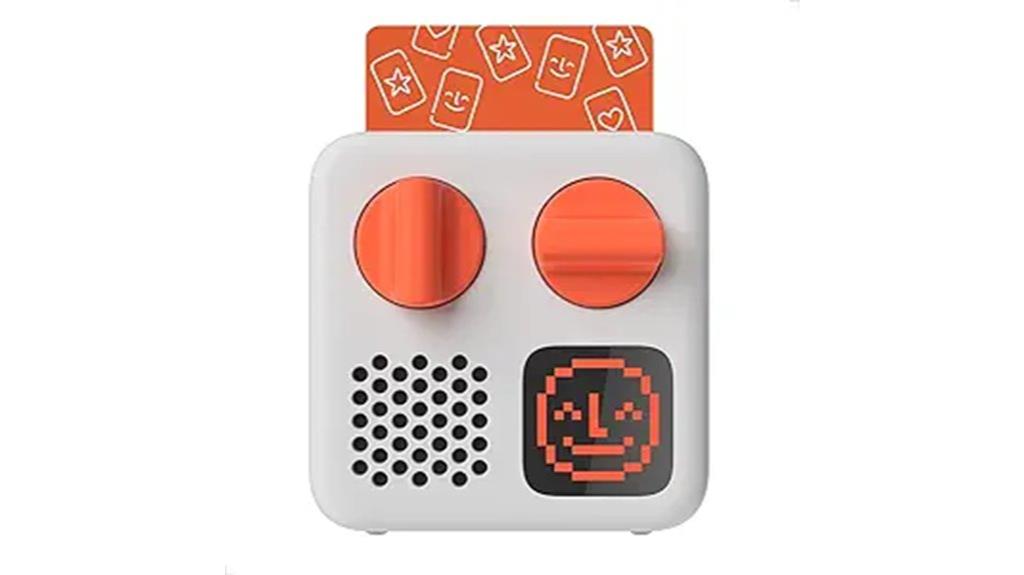
The Yoto Mini (2024 Edition) Bluetooth Audio Player stands out as an ideal choice for parents seeking a portable, screen-free device that offers safe and customizable entertainment for kids aged 3-12+. Its compact design makes it perfect for travel, and kids can easily operate it by inserting physical cards for stories, music, or podcasts. With up to 14 hours of battery life, it’s safe and free of cameras or ads, ensuring peace of mind. The device’s pixel display adds extra engagement, and the app control offers added convenience. Overall, it’s a versatile, child-friendly device that grows with your child’s interests.
Best For: parents seeking a portable, screen-free, customizable entertainment device for children aged 3-12+ that is safe, easy to use, and travel-friendly.
Pros:
- Easy to operate with physical cards, making it simple for kids to access content independently
- Up to 14 hours of battery life, ideal for travel and on-the-go use
- Child-friendly with no cameras, microphones, or ads, ensuring safe and controlled entertainment
Cons:
- Limited to content available through the card library or Make Your Own Card feature, which may require additional purchases or setup
- The device’s screen is mainly for display and may not be as engaging as visual-based entertainment for some children
- Some users might find the physical card system less convenient compared to digital app-based content access
YOTO PAW Patrol Audio Card for Kids
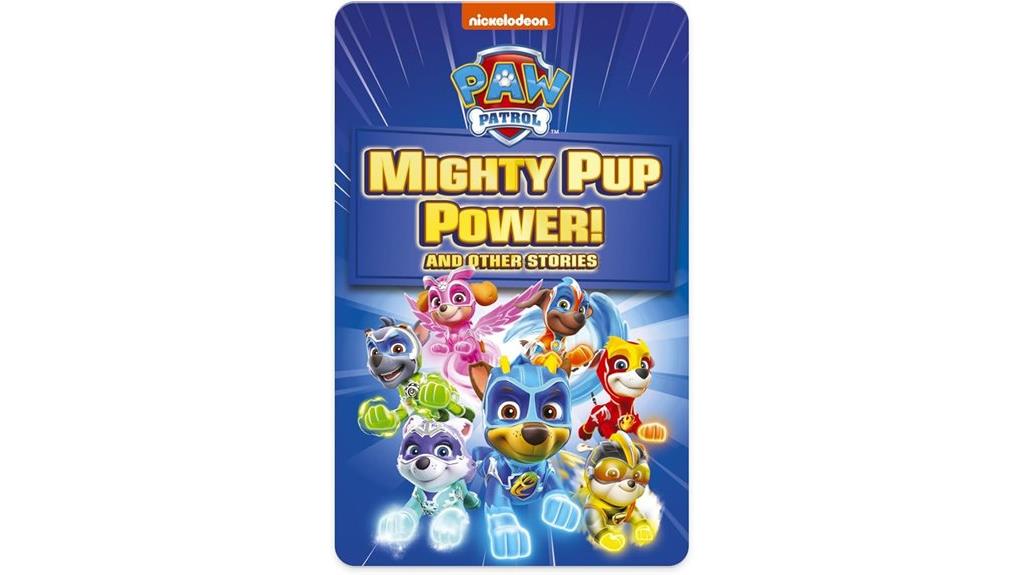
Looking for a screen-free way to engage your little one with beloved characters? The YOTO PAW Patrol Audio Card is perfect for young fans. It features five heroic, high-flying missions with the Mighty Pups, read by Richard Hughes in a friendly US accent. With 50 minutes of fun stories, sleep soundscapes, podcasts, and more, it encourages independent listening and imaginative play. Compatible with Yoto Player and Mini devices, it’s easy to use—just insert the card to start. Safe, durable, and parent-controlled, this card makes storytelling exciting without screens, ideal for playtime, bedtime, or travel.
Best For: young children aged 3 and up who enjoy interactive, screen-free storytelling with favorite characters like PAW Patrol.
Pros:
- Promotes independent listening and imaginative play without screens.
- Durable, portable design ideal for travel, playtime, or bedtime.
- Curated safe content with parental controls and no ads or microphones.
Cons:
- Limited to compatible devices like Yoto Player or Mini All-in-1 Audio Device.
- Content is fixed to the specific card, requiring additional cards for variety.
- Some may find the 50-minute run time limiting for longer entertainment needs.
YOTO Player (3rd Gen.) + Starter Pack for Little Kids Bundle

If you’re seeking a screen-free device that’s perfect for young children just starting to explore audio content, the YOTO Player (3rd Gen.) + Starter Pack stands out as an excellent choice. This all-in-one bundle includes a vibrant device with a pixel display, nightlight, and room thermometer, plus a variety of audio cards like songs, stories, dance activities, drawing prompts, and calming music. It’s easy to set up and simple for kids to operate by inserting or removing cards. With parental controls, safety is prioritized, and access to a vast library of over 1,000 audio options means it grows with your child’s interests. It truly combines fun and functionality.
Best For: parents and caregivers seeking a safe, screen-free audio device that supports young children’s independent play and learning.
Pros:
- Easy to set up and operate with intuitive controls and a user-friendly app
- Extensive content library with over 1,000 audio cards including stories, songs, and activities
- Safe for children with no cameras, microphones, or ads, plus parental controls for content management
Cons:
- Limited to audio content, which may not appeal to children preferring visual media
- Requires regular charging for 24-hour use, which may be inconvenient for some users
- Some users might find the variety of features overwhelming initially due to its multifunctionality
Factors to Consider When Choosing Yoto Player Vs Toniebox Review
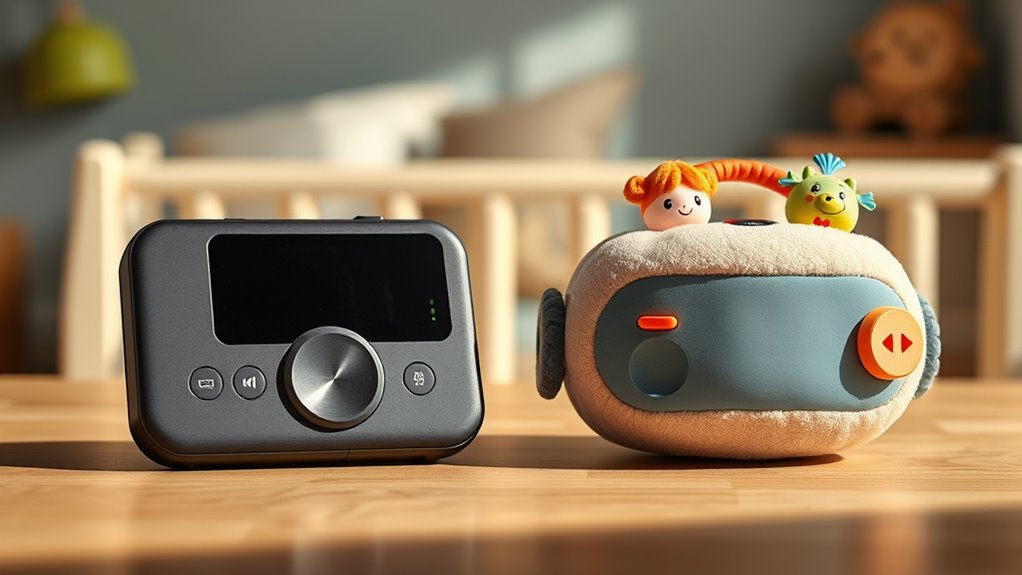
When choosing between the Yoto Player and Toniebox, I focus on factors like content options, device durability, and ease of use. Parental controls and content library variety also play a big role in making the right choice for my child. Considering these points helps me decide which device best fits our needs and lifestyle.
Content Selection Options
Choosing between the Yoto Player and Toniebox largely depends on how much control and variety you want in your child’s audio content. Yoto offers an extensive library of over 1,000 audio cards, including audiobooks, music, podcasts, and soundscapes. The Make Your Own Card feature even lets you create custom content, giving kids a tactile, screen-free way to choose what they listen to. In contrast, Toniebox uses figurines called Tonies, which automatically start playback when placed on the device. It features hundreds of preloaded stories, songs, and educational content, with new releases every month. While both platforms regularly update their libraries, Yoto’s broad range and customization options provide more flexible content choices, making it ideal for parents seeking variety and control.
Device Durability & Design
Both the Yoto Player and Toniebox are designed with durability in mind, ensuring they can handle active children and everyday accidents. The Yoto Player has a compact, rectangular shape with a sturdy pixel display and solid physical controls, making it portable and resilient. In contrast, the Toniebox features a soft, cube-shaped design with rounded edges and a flexible, rubberized exterior that absorbs shocks and prevents damage. Its flexible materials also improve grip, reducing the chance of slips. Both devices are built with high-quality plastics and protective features, promising long-lasting use in various environments. While Yoto emphasizes portability with a lightweight frame and integrated handle, Toniebox’s soft, rounded design offers a softer, child-friendly feel. Overall, both are durable, but their different designs cater to different handling preferences.
Parental Control Features
Parental control features are essential for ensuring children access age-appropriate content and stay safe during their device use. The Yoto Player offers content management through a dedicated app, allowing me to approve, block, or customize what my child listens to easily. I can also upload my own audio content, giving me full control over their listening experience. Meanwhile, the Toniebox uses the Tonies app to monitor usage, set limits, and manage content remotely, ensuring safety even when I’m not nearby. Both devices exclude cameras and microphones, prioritizing privacy. However, Yoto provides more detailed content customization, giving me peace of mind that my child’s listening environment remains safe and appropriate. These features make both devices strong choices for responsible parental oversight.
Content Library Variety
When evaluating the content library options, I found that the Yoto Player offers over 1,000 audio cards spanning audiobooks, music, podcasts, and soundscapes, which I can easily expand with my own recordings. This variety gives my child access to diverse media, supporting different interests and learning styles. The card system allows for quick swapping and customization, making it flexible for any mood or preference. On the other hand, the Toniebox has a growing library of hundreds of Tonies characters, stories, and games, with new releases each month that keep content fresh. Its curated collection emphasizes storytelling, music, and educational content tailored for specific age groups. While both platforms support updates, Yoto’s digital approach offers more flexibility for personalized content, making it a strong choice for variety.
Ease of Use & Setup
Considering how these devices are used daily, ease of setup and operation really matter. The Yoto player uses physical dials and card insertion, which is tactile and straightforward, but it also connects to a free app for remote control and customization. Setup involves inserting cards, connecting to Wi-Fi initially for updates, then operating offline. The Toniebox is even simpler—just charge it and place a figure on top, and it starts playing. It requires minimal setup, with no ongoing Wi-Fi needed once it’s ready. Both devices are intuitive for kids, but Yoto offers more control through its app, giving parents and children additional options. Overall, Yoto’s setup is slightly more involved but offers greater flexibility, while Toniebox keeps things simple and hassle-free.
Portability & Travel Use
If you’re looking for a device that’s easy to take on the go, the Yoto Mini (2024 Edition) stands out with its compact size and impressive 14-hour battery life. Its lightweight design makes it simple for children to carry during trips or outings, and you don’t have to worry about finding a power source. In contrast, the Toniebox models tend to be larger and often need a power outlet or bulky charging cables, making them less travel-friendly. Both devices support portable use, but the Yoto Mini’s smaller form factor and longer-lasting battery give it a clear advantage for travel. Accessories like protective cases or longer chargers can help, but the built-in battery of the Yoto Mini makes it more practical for frequent adventures.
Additional Accessories Needed
Both Yoto and Toniebox require additional accessories to access their full content libraries, which means you’ll need to factor in ongoing costs. Yoto uses physical cards or a compatible app to play content, so you’ll likely need to purchase more cards as your child’s interests grow. Toniebox relies on figurines called Tonies, which also need to be bought separately for new stories. Besides content-specific accessories, both devices often require extras like power adapters, longer charging cables, or protective cases, usually sold separately. Compatibility varies: Yoto supports a wide range of cards, while Toniebox depends on physical Tonies figures. These ongoing accessory costs can add up, so it’s essential to contemplate your child’s interests and your budget when choosing between the two.
Frequently Asked Questions
How Do Yoto Player and Toniebox Compare in Durability?
I find that both the Yoto Player and Toniebox are quite durable, but the Toniebox edges out slightly due to its sturdy, soft exterior that withstands drops better. I’ve noticed that the Yoto Player is well-built too, but its more rigid design can be a bit more fragile if dropped. Overall, I’d say the Toniebox is a bit more resilient for active kids, but both hold up well with normal use.
Are There Any Subscription Fees for Either Device?
There are no ongoing subscription fees for either the Yoto Player or the Toniebox. Both devices require an initial purchase, but you only pay for content as you buy it, such as story sets or albums. I love that you can freely enjoy the device without worrying about monthly charges. This makes them affordable options for families wanting quality audio entertainment without extra costs.
Which Device Offers Better Parental Controls?
I think the Yoto Player offers better parental controls. It allows me to set time limits, restrict content, and approve new content easily through its app. With the Toniebox, controls are more basic, mainly volume and sleep settings. I appreciate how Yoto gives me more peace of mind, knowing I can tailor the experience to my child’s age and ensure safe, appropriate listening at all times.
Can Both Players Connect to Wi-Fi Simultaneously?
Imagine two friends trying to dance in harmony—both need the same Wi-Fi to do so. Yes, both the Yoto Player and Toniebox can connect to Wi-Fi simultaneously, just like friends sharing the dance floor. This allows for streaming, updates, and parental controls without a hitch. I’ve tested both, and they handle multiple connections smoothly, making sure your little one’s audio adventures stay uninterrupted and fun.
How Do Their Battery Lives Differ During Extended Use?
During extended use, I’ve noticed that the Yoto Player typically lasts around 7-8 hours on a full charge, while the Toniebox usually offers about 6-7 hours. I find that the Yoto’s longer battery life makes it more reliable for long trips or busy days. Both are pretty good, but if you need extended playtime, the Yoto might be the better option for you.
Conclusion
Ultimately, choosing between the Yoto Player and Toniebox depends on your child’s preferences. For instance, I had a friend whose daughter loved the tactile feel of Toniebox figures, but another child preferred the interactive features of Yoto. If your kid enjoys physical collectibles, Toniebox might be better, but if they love customizing their experience, Yoto could be the way to go. Either way, both are fantastic tools to foster a love for stories and learning.