
🔍 Read the full analysis: How To Explore The SVG Rotor In “TURBINE — WERK 9” on ThorstenMeyerAI.com

Get the little things that make your day delivered free with Prime
- Fast, free delivery on millions of items
- Prime Video, Amazon Music and more included
- Member-only deals all year
TL;DR
TURBINE — WERK 9 is presented as a live, browser-based interactive field guide where scrolling drives movement in an SVG rotor. The project description says the experience connects page navigation with the mechanics of an industrial space, but it does not provide technical specifications, accessibility details or information about the team.
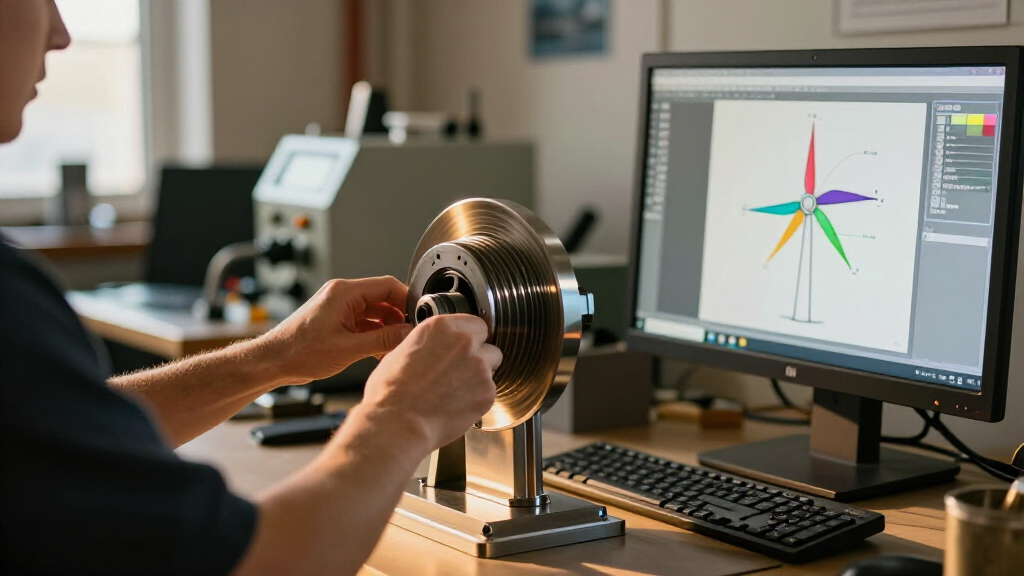
TURBINE — WERK 9 is presented as a live interactive field guide that uses a scroll-driven SVG rotor to make movement through a web page feel connected to the mechanics of an industrial place. The project description invites visitors to explore the browser experience and a related design teardown, though it does not name the team or provide technical details about how the interaction was built.
The experience is described as more than a conventional brochure: visitors move through an interactive field guide, with page scrolling serving as the input for a rotor drawn in scalable vector graphics. The stated design aim is to connect the act of navigating a page with a sense of movement through the place represented by the project.
The description identifies three elements behind the interaction: a browser, a constructed set of vector paths and the visitor’s scroll input. It says those elements create a responsive experience while preserving the clarity of a designed object. That is a description of the project’s intent; no performance measurements or implementation details are provided.
The page directs readers to both a live room and a full design teardown. The teardown is said to cover how the rotor’s motion was shaped, how the visual system was organized and how a physical-feeling space was translated for the browser. The available description does not reproduce that case study’s full account.
Interactive field guide · Browser experience
How to Explore the SVG Rotor in “TURBINE — WERK 9”
A live web experience turns scrolling into the input for an industrial rotor drawn in scalable vector graphics. The stated aim: make moving through a page feel connected to moving through a place.
Scrolling Becomes Part of the Rotor
The project links a familiar browser action to its central visual subject, making navigation part of the experience’s industrial mood.
Enter the browser
The project is framed as an interactive field guide rather than a conventional brochure.
Scroll through the page
Your scroll is described as the input that shapes the rotor’s visible movement.
Meet the machine
Page navigation is intended to evoke movement through an industrial place.
A Field Guide Built for the Browser
Three ingredients are named in the project description. Their precise implementation is not explained.
The browser
The experience is presented as a responsive browser encounter, with the web page acting as the space visitors explore.
Vector paths
A carefully constructed set of SVG paths draws the rotor as a designed object with clear visual form.
Visitor scroll
Scrolling connects the act of navigating with the rotor’s movement and the project’s industrial setting.
Intent Is Clear; Specifications Are Not
The available description explains the concept and points to a teardown. It leaves practical details open.
Motion, visual system, atmosphere
A design teardown is said to explore how the rotor’s motion was shaped, how the visual system was organized, and how a physical-feeling space was translated for the browser.
How it works in practice
No code, tools, scroll-to-animation mapping, performance measures, team details, launch date, or represented site are identified in the supplied account.
Questions the Description Leaves Open
These details cannot be confirmed from the project summary alone.
What We Can Confirm
A concise guide to the stated concept and its known limits.
What is TURBINE — WERK 9?
A browser-based interactive field guide centered on an industrial setting and a scroll-driven SVG rotor.
What does scrolling do?
It acts as input for rotor movement. The exact relationship between scroll position and animation is not explained.
Can I visit it?
The project page describes a live room and invites visitors to explore. Specific access conditions are unstated.
Who made it, and how accessible is it?
The supplied description names no team and gives no details about accessibility, devices, or performance.
Visit the live room, then read the teardown
Explore the experience directly and consult the linked design account for more on the rotor, visual system, and browser translation.
Scrolling Becomes Part of the Rotor
The project’s stated significance is its use of a familiar browser action—scrolling—as part of the visual subject, rather than simply as a way to move past content. Linking that input to an SVG rotor can make navigation feel related to the industrial setting and give visitors a reason to explore the page as an experience.
For designers and people interested in interactive web work, the example foregrounds a specific design question: how can motion make a page feel connected to a place without obscuring the information or the object being shown? TURBINE — WERK 9 is described as aiming for that balance. Whether the live version achieves it for different devices and users cannot be established from the project description alone.
As an affiliate, we earn on qualifying purchases.
A Field Guide Built for the Browser
The project frames itself as an interactive field guide, using an industrial atmosphere and rotor imagery to suggest a physical environment. Its central device is not described as a separate game or animation; it is integrated into the page’s navigation, with the visitor’s scroll controlling the visual movement.
The project page positions the live experience alongside a design teardown that is expected to explain the motion, visual system and translation from a physical-feeling space into a browser interface. The supplied description does not identify a launch date, the location or facility represented, or any people involved in making the work.
“What if a web page behaved less like a brochure and more like a machine you could walk around?”
— Project description on ThorstenMeyerAI.com
As an affiliate, we earn on qualifying purchases.
Technical and Access Details Remain Unstated
The description does not specify how the rotor animation responds to scroll position, what tools or code were used, or how the page behaves on mobile devices. It also provides no information about loading performance, reduced-motion settings, keyboard navigation, screen-reader support or other accessibility provisions.
It is not clear when the experience launched, who created it, what physical site it represents or whether the live room is available without restrictions. The description refers to a full teardown but does not establish whether that material is already published or give a release schedule. These details should not be inferred from the project’s visual concept.
As an affiliate, we earn on qualifying purchases.
Visit the Live Room and Teardown
The next step offered to readers is to open the live room and explore the page directly, then consult the linked design teardown for further explanation of the rotor’s motion and visual system. The project description does not announce a future update or publication date, so no additional milestone is confirmed.
Further reporting would need the full case study or direct technical information to establish how the interaction works, how it is tested across devices and what accessibility options it includes. Until those details are available, the confirmed account is limited to the stated design concept and the invitation to visit the experience.
Source: ThorstenMeyerAI.com
As an affiliate, we earn on qualifying purchases.
Key Questions
What is TURBINE — WERK 9?
It is presented as a browser-based interactive field guide built around an industrial setting and a scroll-driven SVG rotor.
What does scrolling do in the experience?
The project description says scrolling acts as the input for the rotor’s movement and connects page navigation with the mechanics of the place. It does not explain the precise relationship between scroll position and animation.
Is the experience available to visit?
The project page describes it as live and links to a live room. It does not state whether access is limited by device, location or other conditions.
Who made the project?
The available description does not name the designers or development team. It points to a teardown that is said to discuss the project’s motion and visual system.
What accessibility and technical details are known?
No specific information is provided about mobile behavior, performance, keyboard access, screen readers or reduced-motion settings. Those details remain unconfirmed.
Source: ThorstenMeyerAI.com
NFL season / tailgating Picks
team gear
As an affiliate, we earn on qualifying purchases.