
🔍 Read the full analysis: 10 Best 3D Printers For Home Projects, From Simple To Multicolor In 2027 on ThorstenMeyerAI.com

Get the little things that make your day delivered free with Prime
- Fast, free delivery on millions of items
- Prime Video, Amazon Music and more included
- Member-only deals all year
TL;DR
ThorstenMeyerAI.com compares 10 3D printers for home projects in 2027, ranking the Bambu Lab P2S Combo first as a well-rounded package with an enclosure and included multicolor system. The guide also distinguishes standalone printers from bundles and compares open-frame, fast CoreXY and multiple-toolhead designs; it does not provide independent test results or a single best fit for every buyer.
ThorstenMeyerAI.com has published a 2027 guide to 10 3D printers for home projects, comparing machines and bundles aimed at different needs, from simple hobby printing to multicolor work. The guide names the Bambu Lab P2S Combo its leading all-around choice because it pairs an enclosed printer with an included material-handling system, while stressing that enclosure, filament workflow and setup demands should guide a buyer’s decision.
The guide ranks the P2S Combo first among the 10 picks, describing its combination of an enclosure and bundled multicolor hardware as its main advantage. It presents the Bambu Lab P1S and P1S Combo as separate options: the standalone printer is for buyers who want an enclosed machine without bundled multicolor hardware, while the Combo adds that convenience.
For hobbyists who prefer an open-frame printer, the guide points to the Bambu Lab A1 and A1 Combo. It also highlights the Snapmaker U1 for its four-toolhead system, the Adventurer 5M for fast CoreXY printing, and the Kobra X, AD5X and K2 Combo as other routes into multicolor printing. The source names the models but does not supply a full specification table or prices.
Its selection criteria include print-system design, material handling, enclosure, setup, maintenance and versatility. The ranking gives extra consideration to whether multicolor hardware is included in a bundle. The guide cautions that speed figures alone do not establish how quickly a particular model will produce a finished part at the desired quality.
The 10 picks
- 1
 Snapmaker U1 3D Printer with 4-Toolhead and 5-Second Tool ChangerView on Amazon →
- 2
 Bambu Lab P2S Combo – P2S 3D Printer with AMS 2 Pro (Multi‑Color)View on Amazon →
- 3
 Bambu Lab P1S Combo 3D Printer with AMS – Multi‑Color PrintingView on Amazon →
- 4
 Creality K2 Combo 3D Printer, Multicolor Printing, Max 600mm/s Speed, Auto Le…View on Amazon →
- 5
 Bambu Lab A1 Combo + LED Lamp Kit (with AMS Lite)View on Amazon →
- 6
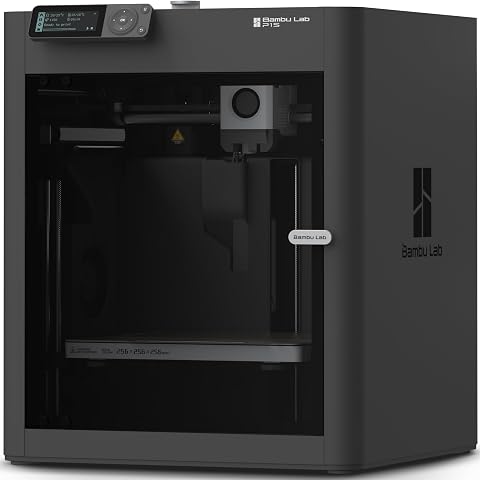 Bambu Lab P1S 3D PrinterView on Amazon →
- 7
 Anycubic Kobra X Multicolor 3D PrinterView on Amazon →
- 8
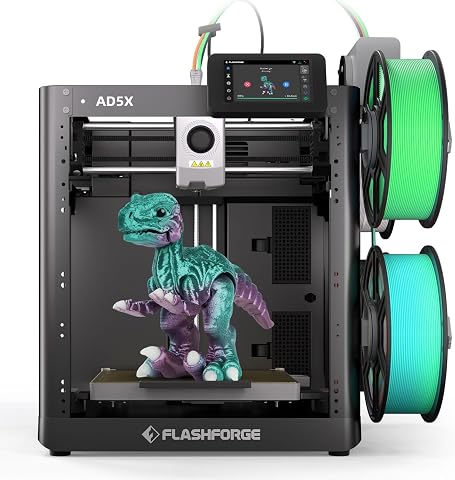 Flashforge AD5X Multi-Material 3D PrinterView on Amazon →
- 9
 Bambu Lab A1 FDM 3D PrinterView on Amazon →
- 10
 FLASHFORGE Adventurer 5M 3D Printer, All-Metal CoreXY, 600mm/s Max TravelView on Amazon →
Choosing a Printer by Workflow
The comparison matters because the 10 machines do not represent one interchangeable class of product. A buyer printing mostly small, single-color household parts may not benefit from paying for automated color changes or a more elaborate system. Someone making decorative models may value multicolor capability, while a buyer using materials that benefit from a controlled environment may prefer an enclosed printer.
Those choices affect more than the initial purchase. Multicolor printing can add print time and purge waste, while different systems handle filament changes in different ways. An enclosure takes up space and may require attention to ventilation; open-frame machines are easier to access but offer less environmental control. The guide’s practical message is to match a printer to regular projects and workspace rather than treating speed or color count as a universal measure of value.
Products Worth Considering

Therabody JetBoots PRO Plus Wireless LED 3-in-1 Boots (30‑34 Inseam)

Blueair Blue Pure 211i Max Smart Air Purifier for Large Rooms

Garmin Forerunner 165 GPS Running Smartwatch, 43 mm, Black
As an affiliate, we earn on qualifying purchases.
How the Ten Picks Differ
The guide separates the lineup by design and material workflow, rather than ranking all models on a single speed claim. Enclosed CoreXY models are distinguished from open-frame machines, and filament-switching systems are compared with the U1’s multiple-toolhead approach. Those systems can involve different tradeoffs in operation and material use; a higher color count alone does not explain which workflow will suit a particular owner.
For its ranking, ThorstenMeyerAI.com says it weighed setup, expected maintenance, versatility and whether a multicolor bundle includes the required material-handling hardware. It calls the P2S Combo the most complete general-purpose bundle in this group, but says lower-ranked machines may make more sense for specific needs. The supplied source does not identify laboratory testing, measured print-time comparisons or a detailed scoring method.
“The P2S Combo ranks first as the most complete general-purpose bundle in this group.”
— ThorstenMeyerAI.com, on its top-ranked printer
Limits of the Published Comparison
The supplied source does not include prices, full technical specifications, test protocols or measured results for each model. It is not clear when the guide was published, whether the listed printers’ configurations are available in every market, or whether prices and bundles reflect current listings. The ranking is presented as the guide’s assessment, not as a universal result.
Claims about speed, ease of use and material suitability can depend on settings, filament, model geometry and the user’s experience. The source also does not quantify purge waste, noise, print quality or maintenance frequency across the 10 machines. Buyers should check current product documentation and bundle contents before purchasing.
What Buyers Should Check
Before choosing, buyers should compare current prices and confirm exactly which accessories and filament-handling hardware are included. They should measure the available work area, account for access to the build plate and filament, and check whether their planned materials call for an enclosure. For multicolor work, compare the machine’s material-change method with the expected time, setup and waste.
The guide offers no announced follow-up testing or next publication date. Its recommendations may need to be checked against current product availability and specifications, particularly where a purchase depends on a particular bundle. A final choice should reflect the buyer’s typical projects, rather than an occasional oversized or multicolor print.
Key Questions
Which printer does the guide rank first?
ThorstenMeyerAI.com ranks the Bambu Lab P2S Combo first, citing its enclosed printer and included multicolor material-handling system.
What is the difference between the P1S and P1S Combo in the guide?
The guide describes the P1S as a standalone enclosed printer and the P1S Combo as adding bundled AMS multicolor hardware.
Is multicolor printing right for every home project?
No. The guide says multicolor systems can add print time, setup decisions and purge waste. A simpler single-color printer may suit buyers whose projects rarely need multiple filaments.
Does the guide provide verified print-speed comparisons?
The supplied source does not give measured comparative results or testing conditions. It warns that maximum travel speed is not the same as finished-print time, which also depends on geometry, material and settings.
Source: ThorstenMeyerAI.com