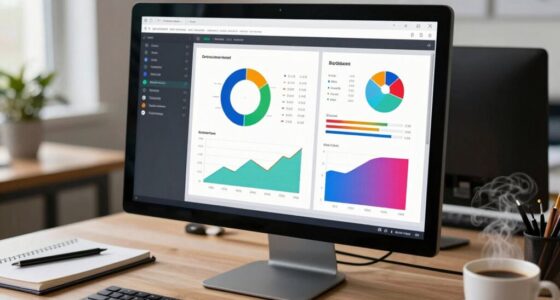
To build a personal focus dashboard, start by organizing it into sections for different areas like work, health, and personal goals. Keep the layout simple and visually clear with progress bars or checklists. Use calendars, timers, and task lists to manage your day effectively. Regularly review and update your goals, celebrating small wins to stay motivated. By maintaining it consistently, you’ll stay aligned and focused—continue exploring for more tips to make it work best for you.
Key Takeaways
- Define your main focus areas (e.g., work, health, personal growth) and allocate dedicated sections for each.
- Use visual elements like progress bars and charts to track goals and monitor progress effectively.
- Incorporate time management tools such as calendars, timers, or to-do lists to organize daily tasks.
- Regularly review and update the dashboard to adapt to changing priorities and maintain relevance.
- Keep the design simple and accessible, ensuring quick overview and easy navigation throughout the day.

In today’s busy world, maintaining focus can be challenging, but creating a personal focus dashboard can help you stay organized and clear on your priorities. This tool acts as your central hub for managing tasks, tracking progress, and aligning daily activities with your long-term goals. The key to an effective focus dashboard is simplicity—by consolidating essential information into one accessible space, you streamline your decision-making process and reduce mental clutter. Incorporating reliable guidance into your planning process ensures your strategies are practical and effective. Start by identifying your top priorities. These are the goals and tasks that matter most to you, whether personal or professional. Once you know what’s most important, set up sections for each area of focus. For example, you might dedicate one part of your dashboard to work projects, another to health or personal development, and a separate space for short-term goals. This segmentation helps you see your priorities at a glance and ensures nothing falls through the cracks. Time management is a critical element to incorporate into your dashboard. Use tools like calendars, timers, or to-do lists to organize daily schedules and deadlines. Break larger tasks into smaller, actionable steps and assign specific time slots to each activity. This method keeps you accountable and prevents procrastination. Implementing a visual time management system, such as a weekly planner or digital calendar, allows you to quickly assess how your time is allocated, adjust as needed, and stay on track. Additionally, digital tools can enhance your ability to manage your focus more effectively. Goal tracking is another vital component. Set clear, measurable objectives for each area of your life or work. Use charts, progress bars, or checklists to monitor your advancement toward these goals. Seeing tangible progress boosts motivation and helps you recognize patterns—what’s working and what’s not. Regularly update your goal tracking section, and celebrate small wins to keep your momentum high. Your focus dashboard should be flexible enough to evolve with your needs. Review and refine it weekly, removing distractions and adding new priorities as they arise. Keep it accessible—whether on paper, a digital app, or a combination of both—so you can consult it throughout the day. By doing so, you create a personalized system that enhances your ability to manage time effectively and stay aligned with your goals, ultimately helping you stay focused amidst life’s distractions.

ZERONE CENTRE Productivity Weekly Planner – 54 Sheets Dashboard Spiral Deskpad Has 6 Focus Areas to List Tasks for Goals, Projects, Clients, Academic, or Shopping-Organize Your Daily Work Efficiently
PRACTICAL AND VALUABLE -This undated weekly productivity notepad focus on the important work and get organized. Whether you're…
As an affiliate, we earn on qualifying purchases.
As an affiliate, we earn on qualifying purchases.
Frequently Asked Questions
What Tools Are Best for Creating a Focus Dashboard?
You should consider tools like Notion, Trello, or Notion for creating a focus dashboard, as they support digital organization and integrate productivity techniques seamlessly. These platforms allow you to customize your layout, track goals, and visualize progress easily. Using such tools helps you stay organized and focused, ensuring your tasks align with your priorities. They’re versatile, user-friendly, and perfect for building a personalized dashboard that boosts your productivity daily.
How Often Should I Update My Dashboard?
You should update your focus dashboard weekly or bi-weekly to stay aligned with your evolving productivity habits and distraction management strategies. Regular updates help you track progress, identify new distractions, and refine your goals. If your priorities shift more frequently, consider updating more often. Consistency is key—by maintaining a current dashboard, you stay motivated, manage distractions effectively, and enhance your overall focus and productivity.
Can I Integrate My Calendar With the Dashboard?
Absolutely, you can integrate your calendar with your dashboard. Think of it as your modern-day quill in the age of digital scepters. By syncing your calendar, you enhance your time management and productivity tracking, allowing for seamless updates of appointments and deadlines. This integration keeps your focus sharp and your schedule transparent, making it easier to prioritize tasks, reflect on progress, and stay aligned with your goals throughout the day.
How Do I Prioritize Tasks Within the Dashboard?
You should start by categorizing your tasks based on their importance and urgency. Assign priority levels—high, medium, or low—to each task. This helps you visually identify what needs immediate attention and what can wait. Regularly review and adjust these priority levels as needed, ensuring your dashboard stays aligned with your goals. By doing so, you streamline your focus and make smarter decisions about where to invest your time.
Is a Focus Dashboard Effective for Team Collaboration?
A focus dashboard can be effective for team collaboration by enhancing team dynamics and boosting individual productivity. When everyone updates shared goals and progress, it fosters transparency and accountability. You can easily identify bottlenecks and coordinate efforts more efficiently. This shared visibility encourages accountability, keeps everyone aligned, and helps the team stay focused on common objectives, ultimately improving overall collaboration and ensuring that individual efforts contribute to collective success.

Gamify Your Goals: Track your goal progress bars and master each level – a personal log book
As an affiliate, we earn on qualifying purchases.
As an affiliate, we earn on qualifying purchases.
Conclusion
Now that you’ve built your personal focus dashboard, think of it as your compass in a busy world. It keeps your goals in sight and guides you through distractions like a lighthouse in a storm. Regularly update and tweak it to stay aligned with your evolving priorities. With this tool in hand, you’re better equipped to navigate your day with clarity and purpose—turning chaos into a calm, focused journey.

BOCT 10.1'' Digital Calendar Wall – 32GB Memory Touch Screen Chore Chart Smart Calendar,Digital Planner,Auto-Sync,APP Control,Interactive Family Schedules, Gift for Mother
[3 Years Warranty & Support] Get a free replacement for any BOCT digital calendar quality issues, plus technical…
As an affiliate, we earn on qualifying purchases.
As an affiliate, we earn on qualifying purchases.

Rotating Pomodoro Timer 5, 25, 10 50 Minutes Preset, Desk Productivity Flip Timer, ADHD Tool Cube Countdown Stopwatch, Vibration/High/Low Volume/Custom Modes, for Work, Study, Back to School, Kitchen
A Real Pomodoro Task Timer. The pomodoro technique is a time management method based on 25-minute stretches of…
As an affiliate, we earn on qualifying purchases.
As an affiliate, we earn on qualifying purchases.