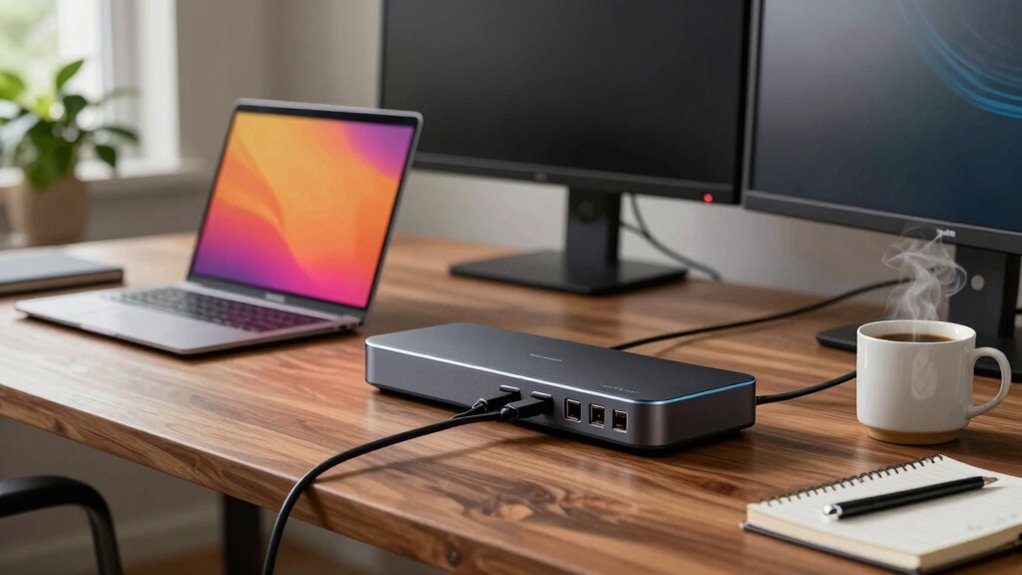

Finding the right docking station for a work-from-home setup can significantly boost productivity and reduce cable clutter. The Anker 8-in-1 USB-C Hub stands out as the best overall for its versatility and power delivery, while the Selore USB C Docking Station offers extensive port options ideal for multi-monitor users. Buyers often face tradeoffs between port variety, size, and power output, making it essential to understand what each model prioritizes. Whether you need a budget-friendly option or a premium station with advanced features, continuing reading will help clarify these choices.

Get the little things that make your day delivered free with Prime
- Fast, free delivery on millions of items
- Prime Video, Amazon Music and more included
- Member-only deals all year
Key Takeaways
- The top picks balance port variety, power delivery, and build quality, with no single model excelling in all areas.
- Compatibility with different laptop brands and operating systems remains a key factor in choosing the right docking station.
- Many docking stations offer dual 4K monitor support, but performance can vary based on GPU and cable quality.
- Size and desk footprint influence suitability for different workspaces, especially in cluttered or minimal setups.
- Price often correlates with feature set; premium models provide additional convenience but at a higher cost.
| Anker 8-in-1 USB-C Hub with Dual 4K HDMI and Power Delivery for Laptops |  | Best Overall for Versatile Connectivity | Ports: 2 HDMI, 2 USB-A, Ethernet, SD/microSD reader, USB-C PD-IN | Maximum Resolution: 4K@60Hz (single), 4K@30Hz (dual) | Power Delivery: Up to 85W | VIEW ON AMAZON | See Our Full Breakdown |
| Selore USB C Docking Station Dual Monitor, 14-in-1 Laptop Docking Station |  | Best for Versatile Connectivity and Multiple Ports | Display Support: Dual HDMI and VGA, mirror and extend modes | USB C Ports: 3 (including 10Gbps data & 100W PD) | USB A Ports: 4 | VIEW ON AMAZON | See Our Full Breakdown |
| Dell Pro Laptop Docking Station WD25, USB-C, 100W, DisplayPort, HDMI |  | Best for Multi-Display and Eco-Friendly Design | Power Output: 100W | Display Support: Up to 4 high-res displays | Ports: DisplayPort, HDMI, USB-C, USB-A | VIEW ON AMAZON | See Our Full Breakdown |
| Docking Station Dual Monitor 4K HDMI 13-in-1 USB-C Hub for Laptop and MacBook |  | Best for High-Resolution Dual Monitors and Versatile Connectivity | Number of Ports: 13 | HDMI Output: 2 ports supporting 4K@60Hz | DisplayPort: 1 port supporting 4K@60Hz | VIEW ON AMAZON | See Our Full Breakdown |
| USB C Laptop Docking Station Dual Monitor HDMI USB C Hub Multiport Adapter |  | Best for Multi-Monitor Expansion with Extensive Ports | Ports: 2 HDMI, 1 DisplayPort, 1 Ethernet, SD/microSD, 2 USB-C, 4 USB A | Supported Resolutions: Dual 4K@30Hz, Triple 1080P | Power Delivery: Supports 100W | VIEW ON AMAZON | See Our Full Breakdown |
| MOKiN USB C Docking Station Dual Monitor with 2 HDMI Ports for Dell/HP/Lenovo Laptops |  | Best Overall for Dual 4K Workflows | Number of HDMI ports: 2 | Ethernet port: 1 | USB-C ports: 4 | VIEW ON AMAZON | See Our Full Breakdown |
| MOKiN Laptop Docking Station Dual Monitor 4K HDMI USB C Hub for Dell/HP/Mac |  | Best for Multi-Device Flexibility | Number of Ports: 14 | HDMI Ports: 2 | DisplayPort Ports: 2 | VIEW ON AMAZON | See Our Full Breakdown |
| UGREEN USB C Docking Station Dual Monitor, 7-in-1 Aluminum Dock with 2 HDMI |  | Best Compact Dual 4K for Everyday Use | Hardware Interface: HDMI, USB, USB Type C | Compatible Devices: Full functional USB C laptops, MacBook, Chromebook, Surface | Total USB Ports: 4 | VIEW ON AMAZON | See Our Full Breakdown |
| Anker Nano Laptop Docking Station Dual Monitor 8-in-1 USB C Hub for Windows |  | Best for Windows Power Users | Connectivity: USB-C, USB-A, HDMI, SD/TF card slots | Max Power Output: 85W | Data Transfer Speed: 10 Gbps | VIEW ON AMAZON | See Our Full Breakdown |
| USB C Docking Station Dual Monitor for HP and Laptop |  | Best Budget Dual 4K Workstation | Hardware Interface: HDMI, DisplayPort, VGA, USB 2.0, USB-C | Additional Features: Fast Charging, Fast Data Transfer | Total USB Ports: 3 | VIEW ON AMAZON | See Our Full Breakdown |
| docking station for work from home | Power Delivery | Compatibility |
|---|---|---|
| Anker 8-in-1 USB-C Hub with Du | Up to 85W | USB-C, USB4, Thunderbolt, Windows 10/11, ChromeOS, macOS |
| Selore USB C Docking Station D | 100W (limited to 87W for safety) | Thunderbolt 3, USB-C, Windows, MacBook |
| Dell Pro Laptop Docking Statio | — | Dell and non-Dell USB-C devices |
| Docking Station Dual Monitor 4 | Supports 100W (87W on laptop) | Windows (MST & SST), macOS (limited in dual mode) |
| USB C Laptop Docking Station D | Supports 100W | Thunderbolt 3/4, USB-C |
| MOKiN USB C Docking Station Du | 100W | — |
| MOKiN Laptop Docking Station D | Up to 100W | — |
| UGREEN USB C Docking Station D | — | — |
| Anker Nano Laptop Docking Stat | — | — |
| USB C Docking Station Dual Mon | — | — |
More Details on Our Top Picks
Anker 8-in-1 USB-C Hub with Dual 4K HDMI and Power Delivery for Laptops
This Anker hub stands out for combining a rich array of ports—including dual 4K HDMI outputs, multiple USB-A, Ethernet, and SD card slots—in a compact design. Its support for dual 4K displays at different refresh rates is impressive, especially compared to the Docking Station Dual Monitor 4K HDMI 13-in-1, which offers more ports but less display flexibility. The high 85W pass-through charging ensures your laptop stays powered without extra chargers. However, its mirrored display support on macOS limits multitasking, and it requires a 100W charger for full power delivery, adding to setup complexity. Ideal for professionals needing a comprehensive port setup with high-resolution display support, but less suited for users on Linux or with lower wattage chargers.
Pros:- Supports dual 4K displays with high resolution
- Provides a broad range of ports in a compact form
- High-speed 85W pass-through charging
Cons:- Displays on both monitors are mirrored on macOS
- Requires a 100W wall charger for full functionality
Best for: Power users who need multiple high-resolution displays and wide device compatibility
Not ideal for: Linux users or those with limited power supplies, due to compatibility and charging requirements
- Ports:2 HDMI, 2 USB-A, Ethernet, SD/microSD reader, USB-C PD-IN
- Maximum Resolution:4K@60Hz (single), 4K@30Hz (dual)
- Power Delivery:Up to 85W
- Compatibility:USB-C, USB4, Thunderbolt, Windows 10/11, ChromeOS, macOS
- Charger Required:100W PD wall charger
- Display Mode:Mirrored on macOS
Our verdict“This hub is best suited for professionals requiring a wide array of ports and dual 4K display support on Windows or macOS, but less ideal for Linux users or those with limited power options.”
Selore USB C Docking Station Dual Monitor, 14-in-1 Laptop Docking Station
The Selore docking station makes a compelling case for users who need dual displays along with a variety of USB ports, Ethernet, and fast charging. Its support for dual HDMI and VGA outputs offers more flexibility than the Anker model, especially in mixed display environments. Compared with the Docking Station Dual Monitor 4K HDMI 13-in-1, it provides more USB ports and a higher wattage charging limit of 100W, though its video support requires Thunderbolt 3 or DisplayPort Alt Mode to work. A key tradeoff is that USB ports do not support video output, which could be limiting for some users relying on USB-A for display connections. This pick suits those needing multiple ports and dual-monitor support with broad device compatibility, but not ideal for Linux or users seeking dedicated USB-video support.
Pros:- Supports dual HDMI and VGA outputs
- Includes multiple USB ports with fast transfer speeds
- Supports 100W charging for power-hungry devices
Cons:- USB ports do not support video output
- Requires Thunderbolt or DisplayPort Alt Mode for video
- Charging limited to 87W for safety
Best for: Professionals who need a wide range of ports and dual display support with high wattage charging
Not ideal for: Users with Linux systems or who rely heavily on USB ports for video output, due to compatibility limits
- Display Support:Dual HDMI and VGA, mirror and extend modes
- USB C Ports:3 (including 10Gbps data & 100W PD)
- USB A Ports:4
- Ethernet:1000M
- Power Delivery:100W (limited to 87W for safety)
- Compatibility:Thunderbolt 3, USB-C, Windows, MacBook
Our verdict“Best suited for users requiring extensive port options and dual display support on Windows or MacBook, but less fitting for Linux or USB-video reliant setups.”
Dell Pro Laptop Docking Station WD25, USB-C, 100W, DisplayPort, HDMI
The Dell WD25 stands out for its support of up to four high-res displays and robust power delivery, making it ideal for expanded workspaces. Unlike the Anker or Selore options, it provides a clean, eco-conscious design with over 65% recycled materials and significant power savings. This station is particularly suited for users with Dell or non-Dell PCs who need a reliable multi-monitor setup, but it does require a compatible USB-C port for full functionality. Setup might be more complex compared to simpler hubs, especially for non-technical users. Compared with the Docking Station Dual Monitor 4K HDMI 13-in-1, it offers better sustainability but fewer USB ports. This model works best for those prioritizing high-resolution, multi-display setups with environmental considerations, but may be overkill for single or dual monitor users with simpler needs.
Pros:- Supports up to 4 high-res displays
- Provides 100W power delivery
- Eco-friendly with recycled materials and reduced power consumption
Cons:- Requires compatible USB-C port for full features
- Setup can be complex for non-technical users
Best for: Professionals needing high-resolution multi-monitor support with eco-friendly features
Not ideal for: Users with incompatible USB-C ports or seeking a plug-and-play simple hub, due to setup complexity
- Power Output:100W
- Display Support:Up to 4 high-res displays
- Ports:DisplayPort, HDMI, USB-C, USB-A
- Materials:At least 65% recycled content
- Standby Power:Up to 72%” reduction
- Compatibility:Dell and non-Dell USB-C devices
Our verdict“Ideal for users who want high-resolution multi-monitor support combined with sustainability, but less suitable for straightforward single-display needs.”
Docking Station Dual Monitor 4K HDMI 13-in-1 USB-C Hub for Laptop and MacBook
This 13-in-1 dock is notable for supporting dual 4K HDMI outputs at 60Hz, along with DisplayPort and a wide selection of USB ports, making it suitable for power users. Compared to the Anker or Selore docks, it offers more display options and extensive USB connectivity, but its macOS support is limited to extending one monitor in dual display mode. The requirement of an external power source for full 100W charging might add complexity, and some features are less functional on macOS than Windows. This device is better suited for Windows users who need high-res dual displays and multiple peripherals, but it’s less ideal for Mac users seeking full multi-monitor support. Best for Windows users needing maximum display flexibility and port selection, with some compromises on macOS compatibility.
Pros:- Supports dual 4K@60Hz HDMI output
- Multiple USB ports including USB 3.1 and USB 2.0
- Supports 100W charging and fast data transfer
Cons:- Limited dual display support on macOS
- Requires external power for full 100W charging
- Some features limited on macOS
Best for: Windows users requiring dual 4K display support with a wide range of ports
Not ideal for: MacBook users expecting full dual-monitor support in macOS or those preferring plug-and-play simplicity
- Number of Ports:13
- HDMI Output:2 ports supporting 4K@60Hz
- DisplayPort:1 port supporting 4K@60Hz
- Power Delivery:Supports 100W (87W on laptop)
- USB Ports:3 USB 3.1, 3 USB 3.0, 2 USB 2.0
- Compatibility:Windows (MST & SST), macOS (limited in dual mode)
Our verdict“This dock is best for Windows professionals needing high-resolution dual monitors and extensive connectivity, but less suited for Mac users or plug-and-play simplicity.”
USB C Laptop Docking Station Dual Monitor HDMI USB C Hub Multiport Adapter
This 14-in-1 dock offers a comprehensive array of ports, including dual 4K HDMI outputs, DisplayPort, Ethernet, SD card reader, and multiple USB connections, making it ideal for users who need to connect a large number of peripherals. Its support for dual and triple monitors at 4K resolution is impressive, especially considering its broad port selection. Compared to the more streamlined Anker or Dell models, it provides greater versatility at the expense of slightly increased complexity and the need for external power sources. Its compatibility with Thunderbolt 3/4 and USB-C devices makes it flexible but not universally compatible with all USB-C hardware. This dock is well-suited for users with demanding multi-device setups needing high-resolution display support, though some features might be limited on MacBook or non-compatible devices.
Pros:- Supports dual/triple monitors at 4K
- Includes a broad range of ports for peripherals
- Supports 100W charging for compatible laptops
Cons:- Not all USB-C devices support HDMI/DisplayPort functions
- Power cable and adapter not included
- Some features limited with MacBook laptops
Best for: Power users with multi-device setups needing dual or triple 4K displays and a wide port array
Not ideal for: Users seeking a simple, plug-and-play solution or those with incompatible USB-C standards
- Ports:2 HDMI, 1 DisplayPort, 1 Ethernet, SD/microSD, 2 USB-C, 4 USB A
- Supported Resolutions:Dual 4K@30Hz, Triple 1080P
- Power Delivery:Supports 100W
- Compatibility:Thunderbolt 3/4, USB-C
- Data Transfer:Up to 10Gbps on USB 3.1 ports
Our verdict“Best for multi-device power users requiring extensive port options and dual 4K display support, but less suitable for simple or Mac-focused setups.”
MOKiN USB C Docking Station Dual Monitor with 2 HDMI Ports for Dell/HP/Lenovo Laptops
This 13-in-1 dock stands out for supporting dual 4K@60Hz displays, making it ideal for users who rely on high-resolution multitasking. Compared with the UGREEN docking station, it offers more USB ports and a higher power delivery capacity, but it requires compatible Thunderbolt or USB-C with DisplayPort Alt Mode, which may limit compatibility for some users. Its comprehensive port selection and charging power make it a strong choice for professionals needing seamless monitor and peripheral integration, though the absence of a charger in the package is a drawback.
Pros:- Supports dual 4K@60Hz monitors for crisp, high-quality visuals
- Multiple USB ports enable fast data transfer for peripherals
- 100W power delivery simplifies charging while working
Cons:- Requires compatible Thunderbolt 3/4 or USB-C with DisplayPort Alt Mode
- Does not include a charger, only the dock and cables
Best for: Professionals with Dell, HP, or Lenovo laptops who need reliable dual 4K display support and extensive connectivity.
Not ideal for: Mac users or those with laptops lacking Thunderbolt 3/4 or DisplayPort Alt Mode, since support is limited or requires additional adapters.
- Number of HDMI ports:2
- Ethernet port:1
- USB-C ports:4
- USB-A ports:6 (4 USB 3.0, 2 USB 2.0)
- Power delivery:100W
- Display resolution:Dual 4K@60Hz
Our verdict“This dock is ideal for Windows users needing high-resolution dual monitors and extensive peripheral support, provided their laptops support the required protocols.”
MOKiN Laptop Docking Station Dual Monitor 4K HDMI USB C Hub for Dell/HP/Mac
This 14-in-1 dock supports up to three monitors with HDMI and DisplayPort, providing versatile configurations that surpass many competitors like the UGREEN in multi-display support. It’s perfect for users who need multiple screens and a broad array of ports, including SD/microSD slots and high-speed USB. However, it’s limited to Thunderbolt 3/4 laptops supporting MST mode, making it less suitable for non-Thunderbolt devices. Its comprehensive port options and 100W charging make it a flexible hub, though the requirement for compatible cables and the absence of a charger can be downsides for some users.
Pros:- Supports up to three monitors with flexible HDMI and DisplayPort options
- High-speed data transfer with multiple 5Gbps USB ports
- Provides 100W power delivery for efficient charging
Cons:- Limited to Thunderbolt 3/4 laptops supporting MST mode
- Charger not included, requiring a 110W adapter for full performance
Best for: Power users with Thunderbolt 3/4 laptops who require extensive multi-monitor setups and broad peripheral connectivity.
Not ideal for: Mac users or casual users with limited port needs, as full multi-display support requires specific Thunderbolt configurations.
- Number of Ports:14
- HDMI Ports:2
- DisplayPort Ports:2
- Ethernet Port:1 Gigabit RJ45
- USB-C Ports:2 USB-C 3.0
- USB-A Ports:3 USB-A 3.0, 2 USB-A 2.0
- Power Delivery:Up to 100W
Our verdict“This dock is tailored for advanced users with Thunderbolt laptops needing extensive multi-display and port options, with some compatibility constraints.”
UGREEN USB C Docking Station Dual Monitor, 7-in-1 Aluminum Dock with 2 HDMI
The UGREEN 7-in-1 dock offers a sleek, compact design with support for dual 4K@60Hz HDMI displays, ideal for those seeking high-resolution screens in a lightweight package. Its multiple USB ports, including USB A and C, make it versatile for most peripherals. Compared to larger docks like the MOKiN USB C Docking Station, this option trades off some expandability for portability and simplicity. A key limitation is that macOS users may only get mirrored displays, which could reduce productivity for those wanting extended desktops. Its 100W charging supports most needs, but full functionality relies on compatible cables and ports.
Pros:- Supports dual 4K@60Hz HDMI displays for sharp visuals
- Compact, lightweight design easily fits on a desk or travel kit
- Offers 100W power delivery for quick device charging
Cons:- macOS may only mirror displays, limiting workspace
- Charging port does not support data transfer or video output
Best for: Users who need a portable, space-saving dock that supports dual 4K displays, especially with Windows or ChromeOS devices.
Not ideal for: Mac users seeking extended desktop support or those requiring multiple DisplayPort outputs.
- Hardware Interface:HDMI, USB, USB Type C
- Compatible Devices:Full functional USB C laptops, MacBook, Chromebook, Surface
- Total USB Ports:4
- Number of HDMI Ports:2
- Wattage:100 watts
- Item Weight:91 g
Our verdict“Great for portable setups needing high-res dual monitors on Windows or ChromeOS laptops, with some limitations on macOS extended displays.”
Anker Nano Laptop Docking Station Dual Monitor 8-in-1 USB C Hub for Windows
This 8-in-1 USB-C hub caters well to Windows and ChromeOS users who want dual 4K@60Hz monitor support along with fast data transfer and 85W charging. Its broad port selection, including USB and SD slots, makes it a versatile choice for multitasking professionals. Compared with the MOKiN dual monitor dock, it offers slightly less expandability but is more straightforward and compatible with a wider range of devices. The main tradeoff is its limited support for macOS, where it only mirrors displays, and the absence of a dedicated charger, requiring users to have compatible power supplies. Its compact size makes it ideal for portable workflows.
Pros:- Supports dual 4K monitors at 60Hz for multitasking
- Fast 10 Gbps data transfer speeds on all ports
- Provides 85W pass-through charging for laptops
Cons:- MacOS displays only mirror, not extended
- Charger not included, needs compatible power supply
Best for: Windows and ChromeOS users seeking a reliable dual-monitor setup with high-speed data and charging capabilities.
Not ideal for: Mac users or those needing multi-port hubs with extensive legacy port support, as it’s optimized primarily for Windows environments.
- Connectivity:USB-C, USB-A, HDMI, SD/TF card slots
- Max Power Output:85W
- Data Transfer Speed:10 Gbps
- Video Output:Dual 4K@60Hz via HDMI
- Supported Devices:Windows 10/11, ChromeOS, Thunderbolt, USB4
Our verdict“A solid choice for Windows users needing high-resolution dual displays and quick data transfer in a portable package.”
USB C Docking Station Dual Monitor for HP and Laptop
This 8-in-1 USB-C dock offers a practical solution for budget-conscious users who need dual 4K@60Hz displays and basic connectivity. It supports multiple display options, including HDMI and VGA, which provides flexibility for different setups, but the VGA output is limited to 1080p, making it less ideal for high-resolution needs. Compared to premium docks like the MOKiN USB C Dock, it sacrifices some port variety and power delivery, with no included power adapter. It’s best suited for users with laptops that support full-featured USB-C with DisplayPort Alt Mode, making it a cost-effective option for everyday use.
Pros:- Supports dual 4K monitor output for multitasking
- Offers 100W power delivery for fast charging
- Multiple USB 2.0 ports for peripherals
Cons:- VGA output limited to 1080p resolution
- Power adapter not included, may need a higher wattage charger
Best for: Budget-minded professionals with compatible USB-C laptops seeking dual 4K displays and basic peripheral support.
Not ideal for: Power users or Mac owners who require extended desktops or higher resolutions over VGA.
- Hardware Interface:HDMI, DisplayPort, VGA, USB 2.0, USB-C
- Additional Features:Fast Charging, Fast Data Transfer
- Total USB Ports:3
- Max Power Output:100W
- Color:Gray
Our verdict“A capable, budget-friendly dock for Windows users needing dual 4K displays with basic peripherals, but limited in resolution and power options.”

How We Picked
These docking stations were evaluated based on their performance in supporting multiple monitors, power delivery capacity, build quality, and overall usability. Compatibility with popular laptops and operating systems was also a key factor, along with the variety of ports offered for peripherals. We prioritized models that provide a balance of value and features, ensuring they meet the demands of a typical home office. The ranking reflects not just raw specs but how well each product addresses common user needs, including ease of setup and longevity.| docking station for work from home | Compatibility |
|---|---|
| Anker 8-in-1 USB-C Hub with Du | USB-C, USB4, Thunderbolt, Windows 10/11, ChromeOS, macOS |
| Selore USB C Docking Station D | Thunderbolt 3, USB-C, Windows, MacBook |
| Dell Pro Laptop Docking Statio | Dell and non-Dell USB-C devices |
| Docking Station Dual Monitor 4 | Windows (MST & SST), macOS (limited in dual mode) |
| USB C Laptop Docking Station D | Thunderbolt 3/4, USB-C |
| MOKiN USB C Docking Station Du | — |
| MOKiN Laptop Docking Station D | — |
| UGREEN USB C Docking Station D | — |
| Anker Nano Laptop Docking Stat | — |
| USB C Docking Station Dual Mon | — |
Factors to Consider When Choosing Docking Station For Work From Home
When selecting a docking station for a home office, it’s important to consider several critical factors. The right choice depends on your specific work setup, device compatibility, and future-proofing needs. A well-chosen dock can streamline your workspace, but a mismatch can lead to connectivity issues or limited performance. Below, I cover key considerations to guide your decision beyond just looking at port count or brand reputation.Port Selection and Compatibility
Assess the types and number of ports you need, including HDMI, DisplayPort, USB-A, USB-C, Ethernet, and SD card slots. Compatibility with your laptop’s ports and operating system is essential to avoid connection issues. It’s common to buy a dock with more ports than you currently need, but overbuying can clutter your workspace. Think about your typical peripherals and future needs to choose a model that offers enough flexibility without excess.
Power Delivery and Charging
Power delivery capacity varies widely; some docks support 60W, others up to 100W or more. This impacts whether your laptop can charge while connected, which is vital for a seamless work-from-home experience. Opt for a dock that provides sufficient wattage for your device—underpowering can cause slow charging or shutdowns. Be aware that higher wattage docks tend to be more expensive but offer greater convenience.
Build Quality and Size
Durability matters more in a busy home office. Look for docks with solid construction, especially if you frequently connect and disconnect peripherals. Size and weight influence how easily the dock fits into your workspace; a bulky station might not suit small desks or minimalist setups. Consider whether a compact, lightweight model suits your environment or if a larger, more robust station is justified for durability and extensive port options.
Display Support and Performance
Dual 4K monitor support is common, but actual performance depends on your laptop’s GPU and the dock’s bandwidth. Some docks handle multiple high-resolution displays smoothly, while others may experience lag or resolution limitations. Use high-quality cables and verify compatibility with your system to ensure consistent, crisp visuals. If multi-monitor productivity is a priority, prioritize docks with proven dual 4K or higher support.
Price and Future-Proofing
Higher-priced docking stations often include better build quality, more ports, and increased power delivery, making them more future-proof. However, a more affordable option might suffice if your needs are simple. Consider your long-term plans—if you plan to upgrade laptops or peripherals, investing in a feature-rich dock could save money and hassle later. Balance your current needs against potential future expansion to select the best value.
Frequently Asked Questions
Will my laptop automatically recognize the docking station?
Most modern laptops should recognize a compatible docking station without issue, especially if it uses standard protocols like USB-C or Thunderbolt. However, some docks require driver installation or firmware updates to function correctly. Checking compatibility with your specific laptop model and operating system before purchase can prevent setup frustrations. In some cases, a firmware update from the manufacturer may be necessary to ensure smooth operation.
Can I connect multiple monitors and peripherals at the same time?
Yes, most docks are designed to handle multiple monitors and peripherals simultaneously, but performance depends on the dock’s bandwidth and your laptop’s GPU. Docks with dual 4K support or higher generally do well, but older laptops might struggle with high-resolution displays. Be sure to verify that the dock’s specifications match your monitor resolutions and peripheral needs to avoid bottlenecks or connectivity issues.
Is it worth investing in a premium docking station?
Premium docks typically offer more ports, higher power delivery, better build quality, and advanced features like Ethernet and SD card slots. If your work involves multiple peripherals or high-resolution displays, investing in a premium model can improve reliability and reduce the need for additional hubs or adapters. However, if your setup is simple, a mid-range or budget dock might suffice without sacrificing performance.
Will a docking station work with MacBooks or only Windows laptops?
Many docking stations are compatible with both MacBooks and Windows laptops, but compatibility varies based on the connection type and driver support. MacBooks with Thunderbolt 3 or 4 tend to work well with certain docks designed for Mac compatibility. Always check the manufacturer’s specifications to confirm support for your system. Some docks may require additional drivers or software on Windows, while MacBooks often recognize docks automatically.
How do I know if a docking station supports my monitor resolution?
Check the dock’s specifications for maximum supported resolution per port, especially for HDMI and DisplayPort outputs. Many docks support dual 4K monitors, but actual performance can depend on your laptop’s graphics capabilities and cable quality. It’s wise to match the dock’s resolution support with your monitor’s specifications. Reading user reviews and manufacturer documentation helps verify real-world performance for high-resolution setups.
Conclusion
For those seeking a reliable, all-around solution, the Anker 8-in-1 USB-C Hub offers excellent versatility and power delivery for most users. Budget-conscious buyers might prefer the UGREEN USB C Docking Station, which balances features and affordability. Professionals with multiple monitors and peripherals should consider the Selore USB C Docking Station for its extensive port selection. Beginners or casual users can start with simpler models, while power users aiming for maximum performance should look at premium options like the Dell Pro Dock. Your choice depends on your specific setup, device compatibility, and future needs.