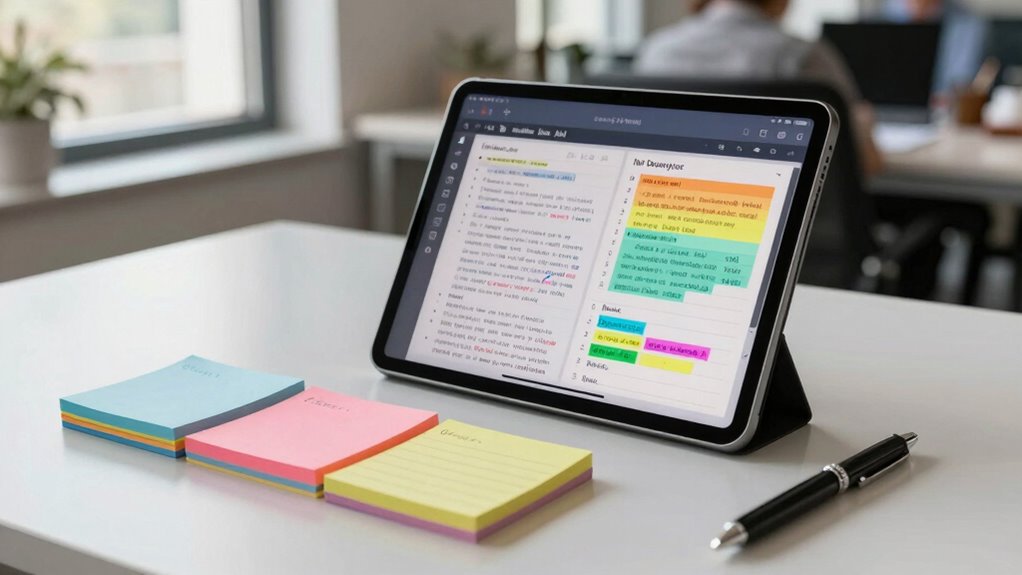

Finding the right tablet for note taking at work involves balancing performance, usability, and portability. The reMarkable Paper Pro stands out as the best overall for its paper-like writing experience, while the Samsung Galaxy Tab S6 Lite offers a versatile Android experience with an included S Pen. On the other hand, some options like the Kindle Scribe prioritize simplicity but may lack advanced features for heavy note takers. The main tradeoffs involve choosing between specialized e-ink screens for paper feel versus full-color touchscreens with more app support. Keep reading to see how each option stacks up for your specific needs.

Get the little things that make your day delivered free — and shop member deals
- Fast, free delivery on millions of items
- Access to Prime Big Deal Days deals on October 6–7
- Prime Video, Amazon Music and more included
Key Takeaways
- The best overall tablets combine a natural writing experience with good app support and portability.
- E-ink screens like the amazon.com/dp/B0DG9VSBLS?tag=simplemondays.com-20&ascsubtag=dc-650948″ target=”_blank” rel=”nofollow sponsored noopener”>reMarkable excel for paper-like writing but may lack color and multitasking features.
- Android tablets such as the Galaxy Tab S6 Lite offer flexibility but can be more complex for simple note-taking tasks.
- Price and storage vary widely; prioritize what features matter most based on your work needs.
- Stylus quality and latency are critical for a comfortable note-taking experience, especially for long sessions.
| reMarkable Paper Pro with Marker Plus and Black Leather Book Folio |  | Best Overall for Paper-Like Experience | Display: 11.8-inch Canvas Color | Color: Black | Included Accessories: Marker Plus, 6 spare tips, Book Folio, USB-C | VIEW ON AMAZON | See Our Full Breakdown |
| Samsung Galaxy Tab S6 Lite 10.4″ 64GB Android Tablet with S Pen – Oxford Gray (Renewed) |  | Best for Versatile Note-Taking and Entertainment | Display: 10.4 inches | Storage: 64GB | Battery Life: up to 13 hours | VIEW ON AMAZON | See Our Full Breakdown |
| Lenovo Idea Tab Plus – 12.1″ 2.5K IPS Touchscreen Tablet with Pen & Folio Case |  | Best for High-Resolution Work on the Go | Display: 12.1″ 2.5K IPS Touchscreen | Processor: MediaTek Dimensity 6400 | Memory: 8GB RAM | VIEW ON AMAZON | See Our Full Breakdown |
| Amazon Kindle Scribe (32GB) with Premium Pen – Like-New |  | Best for Distraction-Free Reading and Basic Note-Taking | Storage: 32GB | Display: 10.2-inch glare-free, 300 ppi | Included: Premium Pen | VIEW ON AMAZON | See Our Full Breakdown |
| XPPen 3-in-1 Color Digital Notebook 10.95” with 16384 Pressure Levels and Magnetic Folio |  | Best for Precise Digital Art and Multi-Color Notes | Display Size: 10.95 inches | Display Technology: AG nano-etched LCD with TCL NXTpaper 3.0 | Color Modes: Monochrome, Light, Nature | VIEW ON AMAZON | See Our Full Breakdown |
| TCL Note A1 NXTPAPER Paper Tablet, 11.5″ 2.2K, 120Hz, 8GB RAM, 256GB Storage |  | Best Overall for Versatile Note Taking and Creative Work | Display: 11.5-inch 2.2K NXTPAPER PURE | Refresh Rate: 120Hz | Storage: 256GB | VIEW ON AMAZON | See Our Full Breakdown |
| Lenovo Idea Tab – 11″ 2.5K IPS Touchscreen Tablet with Pen and Folio Case |  | Best for Budget-Conscious Note Takers with Versatile Features | Display: 11″ 2.5K IPS touchscreen | Refresh Rate: 90Hz | Processor: MediaTek Dimensity 6300 | VIEW ON AMAZON | See Our Full Breakdown |
| reMarkable Paper Pure with Marker Plus and Mist Green Sleeve Folio |  | Best for Focused Handwriting and Document Review | Display Size: 10.3 inches | Color: Black and white | Digital Ink Response Time: 21 ms | VIEW ON AMAZON | See Our Full Breakdown |
| Samsung Galaxy Tab S10 Lite, 6GB RAM, 128GB, 2TB Expandable Storage, 10.9″ LCD |  | Best for Large Screen Multitasking and Long Battery Life | Display: 10.9-inch LCD | RAM: 6GB | Internal Storage: 128GB | VIEW ON AMAZON | See Our Full Breakdown |
| XPPen Note Plus Digital Notebook with Pen |  | Best for On-the-Go Handwriting and Creative Sketching | Compatibility: Android 10.0+ / iOS 14.0+ | Battery Capacity: 1000mAh | Charging Time: 2.5 hours | VIEW ON AMAZON | See Our Full Breakdown |
| tablet for note taking at work | Display | Battery life | Storage |
|---|---|---|---|
| reMarkable Paper Pro with Mark | 11.8-inch Canvas Color | Not specified | — |
| Samsung Galaxy Tab S6 Lite 10. | 10.4 inches | up to 13 hours | 64GB |
| Lenovo Idea Tab Plus | 12.1" 2.5K IPS Touchscreen | Up to 13 hours | 128GB |
| Amazon Kindle Scribe | 10.2-inch glare-free, 300 ppi | Months of reading | 32GB |
| XPPen 3-in-1 Color Digital Not | — | — | 128GB |
| TCL Note A1 NXTPAPER Paper Tab | 11.5-inch 2.2K NXTPAPER PURE | — | 256GB |
| Lenovo Idea Tab | 11" 2.5K IPS touchscreen | Up to 12 hours | 128 GB |
| reMarkable Paper Pure with Mar | — | — | — |
| Samsung Galaxy Tab S10 Lite | 10.9-inch LCD | Up to 16 hours | — |
| XPPen Note Plus Digital Notebo | — | 14 hours | — |
More Details on Our Top Picks
reMarkable Paper Pro with Marker Plus and Black Leather Book Folio
The reMarkable Paper Pro stands out for its stunning color display and paper-like writing feel, making it ideal for those who want a natural writing experience. Compared to the XPPen 3-in-1 Color Digital Notebook, it offers a more refined interface and better handwriting conversion tools, though its premium price and ecosystem limitations are notable drawbacks. Its adjustable reading light and low-glare screen reduce eye strain during long sessions, which benefits users who spend hours taking notes or sketching. However, the device’s battery life remains unspecified, and its higher cost may deter casual users. Overall, this pick makes the most sense for professionals who prioritize a tactile, paper-like experience combined with color capabilities.
Pros:- Color display enables vibrant sketches and notes
- Paper-like writing experience with Marker Plus
- Low-glare screen reduces eye fatigue
- Includes protective leather folio and multiple accessories
Cons:- Premium price may limit accessibility
- Battery life details are not provided
- Limited to reMarkable ecosystem, reducing app flexibility
Best for: Designers, writers, or professionals who need a high-quality, paper-like note-taking device with color support
Not ideal for: Budget-conscious users or those seeking a versatile tablet for multitasking beyond note-taking
- Display:11.8-inch Canvas Color
- Color:Black
- Included Accessories:Marker Plus, 6 spare tips, Book Folio, USB-C
- Features:Color display, adjustable reading light, low-glare screen, handwriting to text
- Battery life:Not specified
Our verdict“Ideal for professionals who want a premium, paper-like writing experience with color features, despite its higher price.”
Samsung Galaxy Tab S6 Lite 10.4″ 64GB Android Tablet with S Pen – Oxford Gray (Renewed)
The Samsung Galaxy Tab S6 Lite offers a solid combination of portability, long battery life, and a versatile S Pen, making it a strong contender for users who want both note-taking and multimedia capabilities. Unlike the Amazon Kindle Scribe, which excels in distraction-free reading, this tablet enables quick note capture and creative work with no charging needed for the S Pen. Its slim, lightweight design and dual AKG speakers support extended use without fatigue, though it may have variable battery performance depending on usage and a limited storage capacity for heavy files. The renewed status can also pose reliability questions, but overall, it suits those who need a flexible device for work and entertainment.Pros:- Includes an S Pen that requires no charging
- Long-lasting battery supports extended use
- Sleek, lightweight design for portability
- High-quality Dolby Atmos speakers
Cons:- Battery life varies with usage
- Refurbished condition may affect warranty or reliability
- Limited storage for large files
Best for: Business professionals or students who want a portable device capable of note-taking, reading, and media consumption
Not ideal for: Users seeking a dedicated, distraction-free reading device or a tablet for intensive storage needs
- Display:10.4 inches
- Storage:64GB
- Battery Life:up to 13 hours
- Included Accessories:S Pen
- Design:Slim metal
Our verdict“A versatile, portable tablet ideal for users who want a device that balances note-taking with entertainment functionalities.”
Lenovo Idea Tab Plus – 12.1″ 2.5K IPS Touchscreen Tablet with Pen & Folio Case
The Lenovo Idea Tab Plus provides a generous 12.1-inch 2.5K display, making it ideal for detailed note-taking and reading. Its vivid screen surpasses many smaller, lower-resolution devices like the Kindle Scribe, especially for those who prefer larger workspaces. The device’s lightweight design and long battery life support all-day use, though its performance may lag with intensive multitasking, and storage could be limiting for heavy users. The included stylus and folio case enhance portability, but the absence of expandable storage might restrict extensive note archives. This tablet is best suited for professionals who prioritize high-resolution visuals and a spacious interface for work and leisure.Pros:- Large, high-resolution 2.5K display
- Supports stylus input for precise notes
- Lightweight and portable for all-day use
- Long battery life up to 13 hours
Cons:- Limited storage for large files
- Performance may decline with heavy multitasking
- No mention of expandable storage
Best for: Creative professionals or students needing a large, vivid display for detailed notes and reading
Not ideal for: Power users requiring extensive multitasking or large storage capacity
- Display:12.1″ 2.5K IPS Touchscreen
- Processor:MediaTek Dimensity 6400
- Memory:8GB RAM
- Storage:128GB
- Battery Life:Up to 13 hours
Our verdict“Best suited for users who want a large, vivid display for detailed note-taking and reading, with some performance tradeoffs.”
Amazon Kindle Scribe (32GB) with Premium Pen – Like-New
The Kindle Scribe excels as a dedicated reading device that doubles as a simple note-taker, especially for users who want a distraction-free experience. Its high-res glare-free display with 300 ppi makes reading and writing comfortable, rivaling paper. Unlike the Galaxy Tab S6 Lite, it lacks multimedia features, but the AI tools for note summarization and editing add a layer of productivity. The device’s long battery life supports months of reading, though its 32GB storage may be limiting for extensive notes or media files. As a refurbished item, some packaging and warranty concerns exist, but it remains an excellent choice for minimalists focused on reading and light note-taking.Pros:- High-resolution glare-free display for reading and writing
- AI tools for note summarization and editing
- Long-lasting battery supports months of use
- No initial setup or charging needed to start writing
Cons:- Refurbished condition may affect warranty
- Limited storage capacity for large files
- Requires a compatible device for full functionality
Best for: Readers and writers who prioritize focus and simplicity over multitasking or multimedia functions
Not ideal for: Users needing a versatile tablet for heavy note archives or multimedia creation
- Storage:32GB
- Display:10.2-inch glare-free, 300 ppi
- Included:Premium Pen
- Refurbished:Yes
- Battery Life:Months of reading
Our verdict“Best for minimalist users who want a dedicated, distraction-free device for reading and light note-taking.”
XPPen 3-in-1 Color Digital Notebook 10.95” with 16384 Pressure Levels and Magnetic Folio
The XPPen 3-in-1 Color Digital Notebook offers advanced pressure sensitivity with 16384 levels, making it perfect for precise annotation and multi-color note-taking. Its 10.95-inch AG nano-etched LCD screen with TCL NXTpaper 3.0 technology delivers a glare-free, paper-like experience, rivaling dedicated e-ink devices like the Kindle Scribe. Operating on Android 14 with 128GB storage and a long-lasting 8000mAh battery, it supports a wide range of apps and remote meetings. However, its narrower viewing angles and performance dips when multitasking mark some limitations. This device is best for those who need a stylus with high sensitivity for detailed work and prefer a versatile Android environment.Pros:- High-pressure sensitivity with 16384 levels
- Paper-like, glare-free display reduces eye strain
- Supports multiple color modes and Android apps
- Long-lasting battery with fast charging
Cons:- Limited viewing angles may hinder visibility
- Multitasking performance can be affected
- Requires system updates for advanced AI features
Best for: Digital artists, annotators, or note-takers who require high-pressure sensitivity and multi-color options
Not ideal for: Casual users seeking a simple, single-color e-ink device or extensive multitasking
- Display Size:10.95 inches
- Display Technology:AG nano-etched LCD with TCL NXTpaper 3.0
- Color Modes:Monochrome, Light, Nature
- Pressure Sensitivity:16384 levels
- Operating System:Android 14
- Storage:128GB
Our verdict“Best suited for artists and detailed annotators who need high sensitivity and color versatility in a portable device.”
TCL Note A1 NXTPAPER Paper Tablet, 11.5″ 2.2K, 120Hz, 8GB RAM, 256GB Storage
The TCL Note A1 NXTPAPER stands out for its vibrant 2.2K display and responsive stylus, making it ideal for professionals who need detailed notes alongside multimedia use. Compared with the reMarkable Paper Pure, it offers richer colors and faster refresh rates, which benefit those who blend note-taking with visual content. Its 120Hz refresh rate ensures smooth writing and scrolling, but it requires software updates after setup to reach peak performance. The long battery life and fast charging make it suitable for full-day use, yet the device’s durability details are less clear, which could matter for those on the go. This pick makes the most sense for users who value a high-quality display and versatility for both work and media consumption.
Pros:- High-resolution 2.2K display with vibrant colors
- Responsive stylus with high pressure sensitivity
- Long-lasting battery with fast charging
- Lightweight and portable design
Cons:- Requires updates for optimal performance after setup
- Unclear durability and screen protection details
Best for: Professionals and creatives who need a high-resolution, multi-purpose note-taking device with multimedia capabilities.
Not ideal for: Those seeking a rugged device primarily for heavy note-taking in rough environments, as durability info is limited.
- Display:11.5-inch 2.2K NXTPAPER PURE
- Refresh Rate:120Hz
- Storage:256GB
- RAM:8GB
- Battery:8000mAh
- Charging:33W fast charging
Our verdict“This tablet suits users who want a versatile device blending detailed note-taking with multimedia features, accepting some durability tradeoffs.”
Lenovo Idea Tab – 11″ 2.5K IPS Touchscreen Tablet with Pen and Folio Case
The Lenovo Idea Tab offers a high-resolution 2.5K display and includes both a stylus and folio case, making it a solid choice for students or casual professionals. Compared with the Galaxy Tab S10 Lite, it has a slightly lower RAM (4GB vs. 6GB), but its 2.5K screen delivers sharper visuals suited for detailed notes and drawings. The 90Hz refresh rate provides smooth interaction, though it’s less fluid than higher-end models. Its all-day battery life and included accessories make it a cost-effective solution, yet limited internal storage and lack of detailed camera specs might be drawbacks for some. This device makes sense for users prioritizing clarity and affordability over top-tier multitasking power.
Pros:- High-resolution 2.5K display with smooth 90Hz refresh rate
- Includes stylus and folio case for versatile use
- All-day battery life up to 12 hours
- TÜV Rheinland Low Blue Light for eye comfort
Cons:- Limited RAM and internal storage for heavy multitasking
- Lack of detailed camera specifications
Best for: Students or casual note-takers who want a sharp display and included stylus without overspending.
Not ideal for: Power users or those needing extensive multitasking or advanced software features, as its RAM and storage are limited.
- Display:11″ 2.5K IPS touchscreen
- Refresh Rate:90Hz
- Processor:MediaTek Dimensity 6300
- Memory:4 GB RAM
- Storage:128 GB
- Battery Life:Up to 12 hours
Our verdict“This tablet is ideal for budget-conscious users seeking a crisp display and basic note-taking capability with included accessories.”
reMarkable Paper Pure with Marker Plus and Mist Green Sleeve Folio
The reMarkable Paper Pure excels in replicating a paper-like handwriting experience, making it perfect for writers and detailed note-takers. Its high-contrast, fast-rendering digital ink display provides a natural feel that’s unmatched by color tablets like the TCL Note A1. Compared with the XPPen Note Plus, it offers a more dedicated focus on handwriting and document review without distractions of multimedia or color. However, it’s limited to monochrome display, which could hinder users needing color for sketches or highlighted notes. Its organized note management and cloud sharing enhance productivity, but price and software ecosystem could be limiting for some. This device suits those who prioritize focused, distraction-free writing over multimedia features.
Pros:- High-contrast, fast-rendering digital ink display
- Organized note management with tags and folders
- Supports importing and sharing via cloud services
- Dedicated for focused handwriting and review
Cons:- Limited to black-and-white display, no color options
- Requires compatible software for full functionality
Best for: Professionals and students who want a dedicated, distraction-free device for handwriting and document review.
Not ideal for: Users who need color, multimedia, or sketching that requires visual richness or more advanced editing tools.
- Display Size:10.3 inches
- Color:Black and white
- Digital Ink Response Time:21 ms
- Included Accessories:Marker Plus, Mist Green Sleeve Folio
Our verdict“This tablet is best for users who need a dedicated, distraction-free device for handwriting and document review, accepting the absence of color and multimedia features.”
Samsung Galaxy Tab S10 Lite, 6GB RAM, 128GB, 2TB Expandable Storage, 10.9″ LCD
The Samsung Galaxy Tab S10 Lite provides a sizable 10.9-inch LCD screen and long battery life, making it suitable for multitasking and media-heavy note-taking. Compared with the XPPen Note Plus, it offers a more traditional tablet experience with a focus on productivity and entertainment, thanks to its expansive display and S Pen support. Its 6GB RAM allows smooth multitasking, although internal storage is limited to 128GB without microSD expansion — a potential concern for users with large files. The device’s 16-hour battery life makes it ideal for all-day use, but some features may require additional accessories or updates, and performance can vary under heavy multitasking. This makes it a good choice for users who want a large, versatile tablet with expandable storage.
Pros:- Large, vibrant 10.9-inch LCD display for multitasking
- Long-lasting 16-hour battery life
- Supports S Pen for drawing and notes
- Expandable storage up to 2TB for large files
Cons:- Limited internal storage at 128GB without microSD card
- Some features may need additional accessories or software updates
Best for: Professionals and students who need a large screen for multitasking, drawing, and long work sessions, with expandable storage as a bonus.
Not ideal for: Power users requiring extensive internal storage or those seeking a device optimized primarily for creative drawing rather than note-taking.
- Display:10.9-inch LCD
- RAM:6GB
- Internal Storage:128GB
- Expandable Storage:Up to 2TB via microSD
- Battery Life:Up to 16 hours
- Processor:Exynos 1380
Our verdict“This tablet is well-suited for users who want a large screen for multitasking and long battery life, with expandable storage for flexibility.”
XPPen Note Plus Digital Notebook with Pen
The XPPen Note Plus balances portability and functionality, offering a lightweight digital notebook that mimics real paper for handwriting and sketching. Its Bluetooth 5.3 connection ensures stable syncing with your phone, making it a flexible choice for mobile note-taking. Compared with the reMarkable Paper Pure, it provides more compatibility for creative work, thanks to support for customizable cores and refillable ink pens. Its 14-hour battery life suits on-the-move use, though it’s limited to A5-sized notebooks, which may not satisfy those needing larger formats. Some users might prefer more advanced editing features or color options, but for basic writing and creative tasks, it delivers a natural experience in a compact form.
Pros:- Stable Bluetooth 5.3 connection for reliable syncing
- Supports real paper with dedicated ink pen
- Long battery life and fast charging
- Supports standard A5 paper cores and refillable pens
Cons:- Limited to A5 size notebooks, not larger formats
- Requires compatible paper cores for full functionality
Best for: Creative professionals and students who need a portable, paper-like notebook with customizable options for handwriting and sketching.
Not ideal for: Users requiring larger formats or advanced editing features, or those who prefer color for sketches and notes.
- Compatibility:Android 10.0+ / iOS 14.0+
- Battery Capacity:1000mAh
- Charging Time:2.5 hours
- Battery Life:14 hours
- Weight:350g
- Pressure Sensitivity:8192 levels
Our verdict“This device is ideal for mobile users who want a natural handwriting experience with customizable features, accepting some size and software limitations.”

How We Picked
We evaluated each tablet based on performance, ease of use, build quality, stylus responsiveness, and value. Devices had to support natural handwriting, be portable enough for daily work use, and offer reliable stylus input. We also considered whether the tablet’s ecosystem supports productivity apps or is optimized for handwritten notes. Products were ranked by how well they balance these factors, with special attention to those offering the best writing experience and durability for frequent use.Factors to Consider When Choosing Tablet For Note Taking At Work
Choosing a tablet for note taking at work requires understanding your primary use cases, budget, and preferred features. Not all tablets are built equally—some excel at mimicking paper, while others prioritize versatility and app support. Considering these factors helps avoid common pitfalls like ending up with a device that doesn’t support your workflow or feels uncomfortable during extended use.Display Type and Size
The display influences how natural your writing feels and how comfortable you are during long note sessions. E-ink screens like those on the reMarkable offer a paper-like experience that reduces eye strain, but they lack color and multitasking capabilities. Color touchscreens, such as the Samsung Galaxy Tab series, support a wider range of apps and multimedia but may be less comfortable for extended writing. Size matters too: larger screens provide more space but can reduce portability, so consider your typical workspace and mobility needs.
Stylus Quality and Responsiveness
A responsive, high-quality stylus is essential for a natural writing experience. Low latency and pressure sensitivity make your notes feel more like writing on paper. Devices like the reMarkable and Samsung tablets offer excellent stylus performance, but cheaper options might lag or lack pressure sensitivity, which can hinder flow and accuracy. Investing in a good stylus often pays off in improved comfort and productivity, especially for detailed sketches or lengthy notes.
Ecosystem and App Support
Consider whether the tablet’s operating system supports the productivity apps you rely on. Android and Windows tablets can run a variety of note-taking apps like OneNote, Evernote, or Notability, offering flexibility. E-ink devices focus more on handwriting and less on app ecosystems, which might limit functionality. Think about your workflow: if you need quick access to cloud storage or integration with other tools, choose a device with robust app support.
Battery Life and Durability
Long battery life ensures your device keeps up with your workday without frequent recharging, especially during meetings or travel. Durability matters too—look for sturdy construction or protective cases if you’ll be on the move. E-ink devices tend to have longer battery life due to lower power consumption, but touchscreen tablets with advanced features might need more frequent charging. Balance your portability needs with how often you’re willing to recharge.
Price and Value
Prices for note-taking tablets vary from budget-friendly options to high-end devices. Cheaper tablets may lack advanced features like high-pressure stylus support or high-resolution screens, but they can be sufficient for basic notes. Premium models often provide better build quality, more natural writing experiences, and additional features, making them worth considering if you write extensively or need reliability. Assess your budget against your expected use to find the best value.
Frequently Asked Questions
Can I use a standard tablet for note taking at work?
Yes, standard tablets like iPads or Android tablets can be used for note taking, especially with stylus support. However, they may not provide the same paper-like feel as specialized e-ink devices. The experience often depends on the stylus quality and the app used. If your primary goal is natural handwriting with minimal lag, dedicated note-taking tablets tend to perform better, but for casual or occasional notes, a standard tablet could suffice.
Is a dedicated e-ink tablet better than a touchscreen for note taking?
Dedicated e-ink tablets like the reMarkable excel at replicating the feel of writing on paper, reducing eye strain, and offering excellent battery life. However, their limited color display and app ecosystem make them less versatile. Touchscreen tablets support a broader range of apps, multitasking, and multimedia functions, making them more suitable if your note-taking involves images, annotations, or integration with other tools. The choice depends on whether your priority is writing comfort or versatility.
What’s the most important feature for a note-taking tablet used at work?
The responsiveness and accuracy of the stylus are often most critical because they directly impact your writing flow and comfort. A tablet that supports pressure sensitivity, low latency, and natural handwriting feels more intuitive and reduces fatigue. Equally important is the display’s clarity and size, as these influence readability and the amount of notes you can take without scrolling or zooming excessively.
Should I prioritize a long battery life or high-performance hardware?
For daily note-taking, prioritizing battery life often provides more practical benefits, especially if you spend long hours in meetings or on the move. High-performance hardware benefits tasks like multitasking, sketching, or running multiple apps but can drain the battery faster. If your workflow involves extended periods away from power sources, a device with longer battery life will likely serve you better, though premium tablets often balance both aspects.
Are stylus accessories included with most note-taking tablets?
Many tablets come with a stylus included or as an optional accessory, but this varies by brand and model. Devices like the Galaxy Tab S6 Lite include the stylus in the box, offering immediate usability. Cheaper or more specialized devices may require purchasing the stylus separately. When choosing, consider the stylus quality and whether it supports features like pressure sensitivity, as investing in a high-quality stylus can significantly improve your writing experience.
Conclusion
For most users seeking an all-around reliable note-taking tablet, the reMarkable Paper Pro provides an outstanding paper-like experience, making it ideal for professionals and students who prioritize writing comfort. Those looking for versatility and app support might prefer the Samsung Galaxy Tab S6 Lite, especially if they want to combine note-taking with multimedia tasks. Budget-conscious buyers can find suitable options among the more affordable tablets, while premium users should consider high-end models for durability and advanced features. Ultimately, your choice depends on whether you prioritize natural writing, ecosystem flexibility, or portability for your workday.
As an affiliate, we earn on qualifying purchases.Halloween Picks
halloween