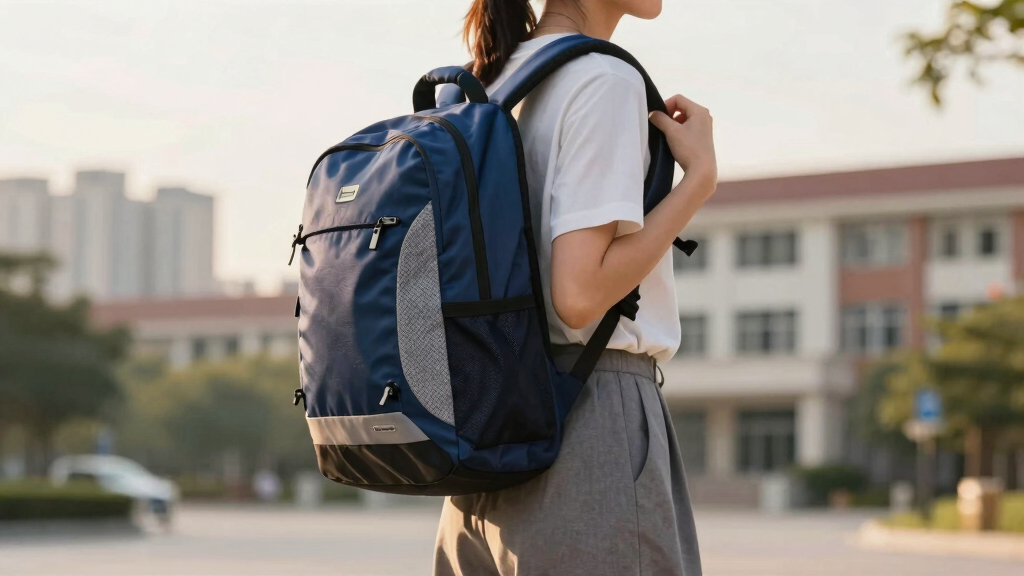

This guide helps students and parents choose an ergonomic backpack that minimizes back and shoulder strain. It covers key features to look for, how to evaluate options, and tips for proper use. No prior experience needed; this process takes about 15 to 30 minutes.

Get the little things that make your day delivered free with Prime
- Fast, free delivery on millions of items
- Prime Video, Amazon Music and more included
- Member-only deals all year
Difficulty: Beginner | Time: 15-30 minutes
What You’ll Need
Tools & Materials:
- Measuring tape (optional)
- Notebook and pen for notes
Knowledge:
- Basic understanding of posture and ergonomic principles
Prepare a comfortable space to compare backpacks and consider trying them on with weight if possible.
ergonomic student backpack with adjustable straps
As an affiliate, we earn on qualifying purchases.
As an affiliate, we earn on qualifying purchases.
Before You Start
Check your child’s current backpack for signs of strain or discomfort. Consider their typical load and daily activities. Ensure the backpack size matches their torso length for proper fit.
As an affiliate, we earn on qualifying purchases.
Step-by-Step Instructions
Step 1: Measure the torso length
Use a measuring tape to measure from the base of the neck (vertebra prominens) down to the top of the hips. Record this measurement in inches or centimeters.
Tip:
Have the student stand straight and relax shoulders while measuring for accuracy.
Check:
The measurement reflects the length from neck to hips, matching the backpack’s torso length range.
Step 2: Select a backpack with adjustable straps
Choose a backpack that has padded shoulder straps with adjustable buckles to customize fit to the student’s torso length.
Tip:
Test the adjustment by putting the backpack on and tightening straps so the pack sits snugly without sagging or pulling forward.
Check:
The straps can be adjusted comfortably to keep the backpack close to the back, with no excessive slack or tightness.
Step 3: Check for multiple compartments and weight distribution features
Ensure the backpack has several compartments to organize books and supplies, with built-in padding for lumbar support. Look for features like a sternum strap and waist belt for stability.
Tip:
Use the backpack with some weight inside to test how well it distributes load and supports posture.
Check:
The backpack maintains close contact with the back and the load is evenly distributed, preventing tilting or pulling forward.
Step 4: Assess the backpack’s size and capacity
Verify the backpack is not larger than the student’s torso and can comfortably hold daily supplies without overstuffing.
Tip:
Place the backpack on the student’s back and check if the bottom ends around the waist, not below the hips.
Check:
The backpack fits well without extending below the hips or extending above the shoulders.
Step 5: Test the backpack’s comfort with weight
Load the backpack with typical books and supplies, then wear it for a few minutes to evaluate comfort and fit.
Tip:
Adjust straps as needed when loaded to ensure a snug fit that doesn’t cause pressure points.
Check:
The student reports feeling comfortable, with minimal shoulder or back strain, and the pack sits evenly against the back.
lightweight ergonomic backpack for teens
As an affiliate, we earn on qualifying purchases.
As an affiliate, we earn on qualifying purchases.
Common Mistakes to Avoid
- Choosing a backpack that is too big or too small — Measure torso length carefully and select a backpack that matches the measurement to ensure proper fit.
- Not adjusting straps properly — Always customize strap length so the backpack sits high on the back, close to the shoulders, without sagging or pulling away.
- Overloading the backpack — Limit weight to no more than 10-15% of the student’s body weight and organize items to balance weight evenly.
- Ignoring features like lumbar support or sternum straps — Choose backpacks with these features and use them correctly to stabilize the load and reduce strain.
multi-compartment ergonomic backpack for students
As an affiliate, we earn on qualifying purchases.
As an affiliate, we earn on qualifying purchases.
Troubleshooting
Problem: Backpack feels uncomfortable or causes pain
Solution: Recheck strap adjustments, load weight, and fit. Reduce load or switch to a better-fitting backpack if discomfort persists.
Problem: Backpack slips off shoulders
Solution: Tighten shoulder straps and adjust sternum strap to secure the pack in place.
Problem: Uneven weight distribution causes leaning
Solution: Organize contents so heavier items are close to the back and centered, and use all adjustable straps for stability.
What Success Looks Like
The backpack fits snugly against the back, with straps adjusted properly. It comfortably holds daily supplies without causing discomfort or strain. The student reports feeling supported and balanced during wear.
Next Steps
Regularly check and adjust straps as needed. Encourage loading the backpack properly and avoiding overstuffing. Replace the backpack if it shows signs of wear or no longer fits well.
Frequently Asked Questions
How much weight should a student’s backpack carry?
The load should not exceed 10-15% of the student’s body weight. Keep supplies organized to distribute weight evenly and avoid strain.
How often should a backpack be replaced for ergonomic reasons?
Replace the backpack when it shows significant wear, no longer fits correctly, or causes discomfort during use.
Can I modify a regular backpack to make it more ergonomic?
Adding padded straps, lumbar support, or using an external ergonomic accessory can improve comfort, but choosing a backpack designed with ergonomic features is preferable.
What signs indicate a backpack is unsuitable?
Signs include straps that cannot be adjusted properly, discomfort or pain when worn, uneven weight distribution, or the pack being too large or small for the user.
NFL season / tailgating Picks
team gear
As an affiliate, we earn on qualifying purchases.